
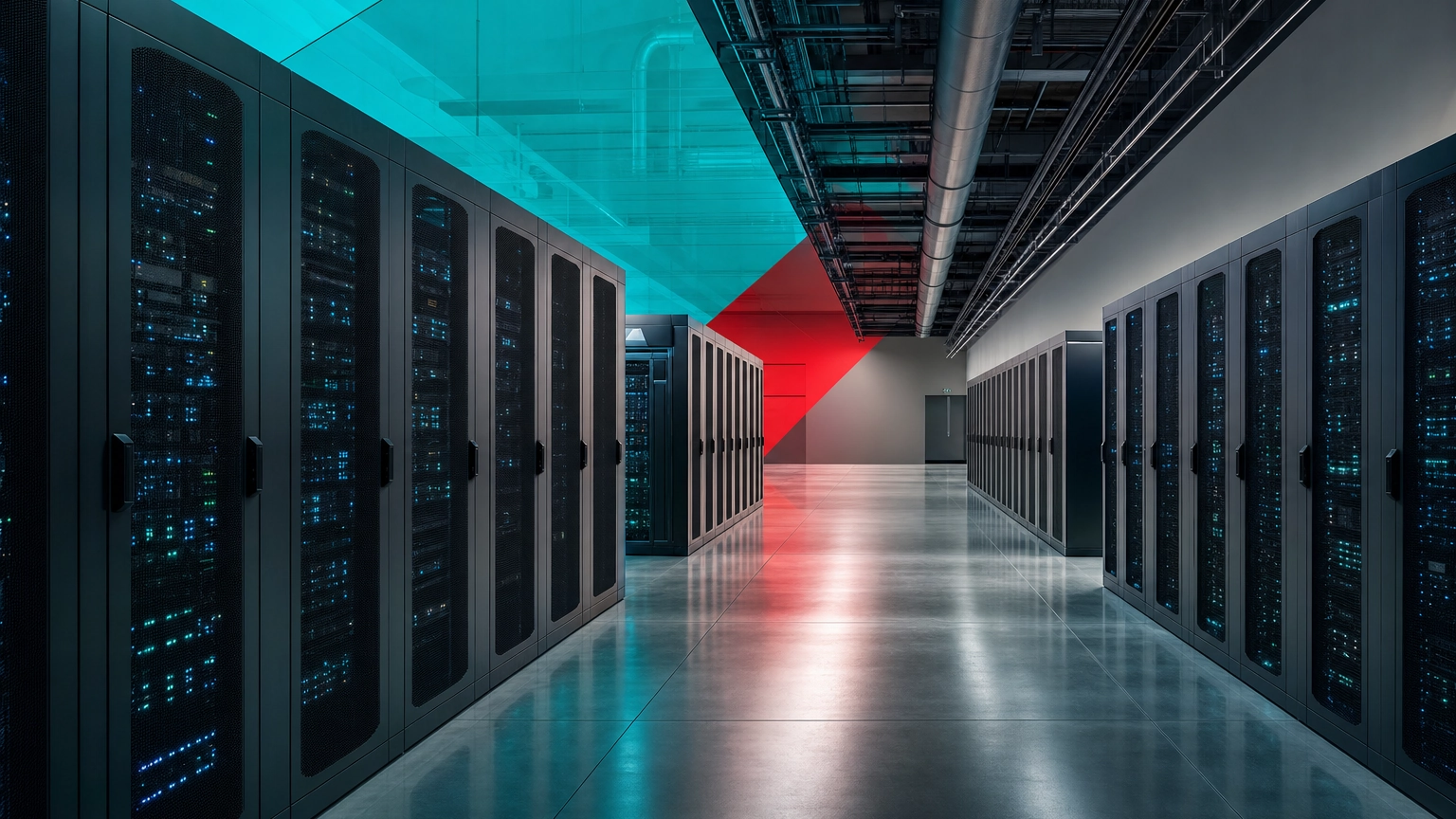
A data center is a physical facility that houses the servers, storage, and networking equipment a business uses to run its applications and store its data. Dedicated power, cooling, and security keep that equipment running reliably around the clock, which is why data centers sit at the core of nearly everything a modern business does online.
Every time you send an email, open a file in the cloud, or load a website, a data center somewhere is doing the work. It is the engine room of modern technology, yet most business owners never see one and are not sure what actually happens inside. This guide explains what a data center is in plain terms: how it works, the core components that make it run, the main types, and how it differs from the cloud, so you can make smarter decisions about where your own systems and data should live.
Key Takeaways
- A data center is a building for computers. It houses the servers, storage, and networking that run a business’s applications and data.
- It is really two things at once: the IT equipment that does the work, and the facility infrastructure (power, cooling, security) that keeps that equipment alive.
- There are several types, from on-premise server rooms to colocation, cloud, hyperscale, and edge facilities, each suiting a different need.
- The cloud does not replace data centers. Cloud services run inside massive data centers you rent from rather than own.
- Most businesses do not build one. The practical question is where each workload belongs, which is a strategy decision, not just a hardware one.
What’s in This Guide
How a Data Center Works
Picture the engine room of a large ship. Passengers never go down there, but nothing on the vessel moves without it. A data center plays the same role for a business’s technology: it is the room, or the building, where the computing actually happens, kept running by systems most people never think about.
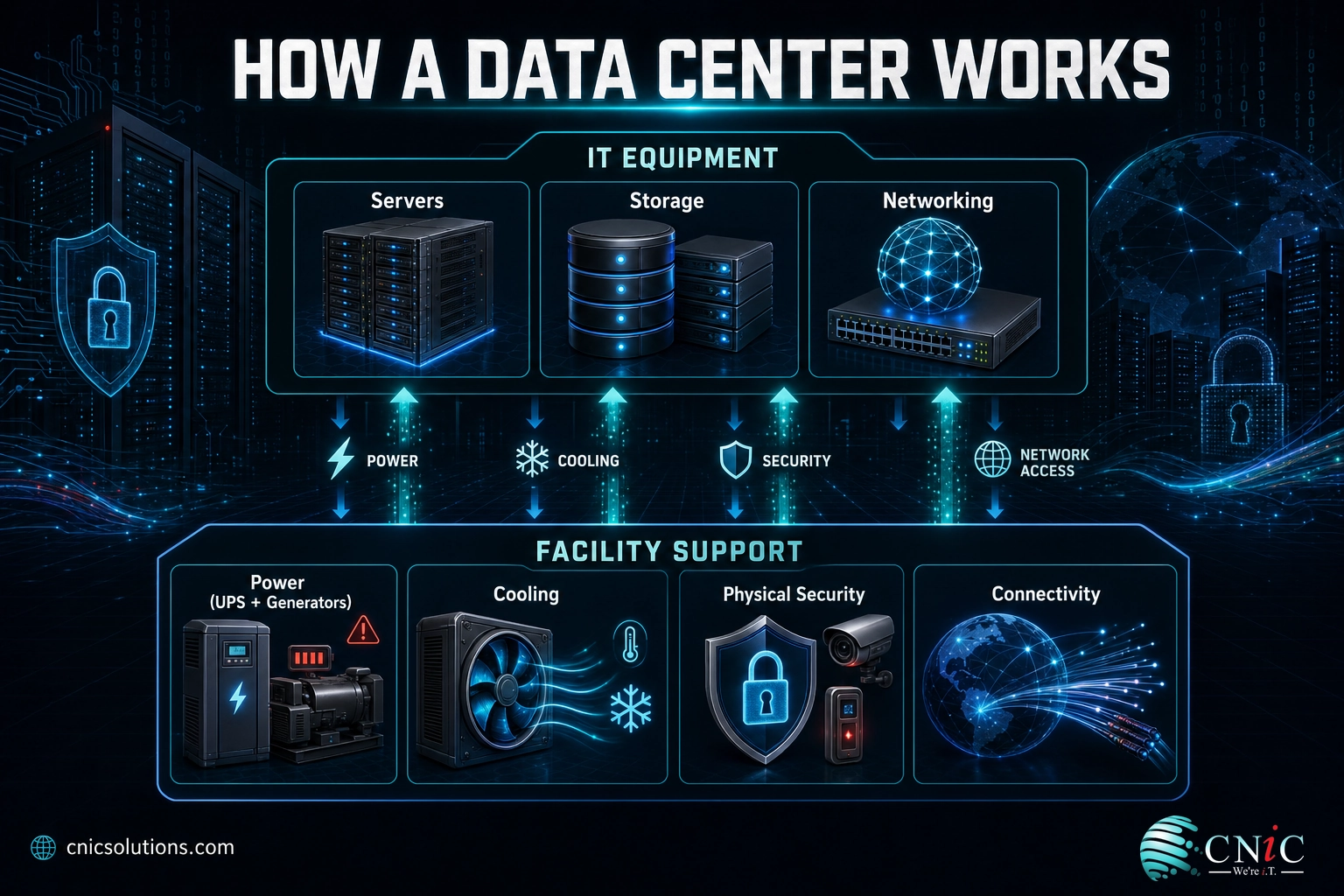
At its heart, a data center does one job: keep large amounts of computing equipment running reliably, securely, and without interruption. To do that, it pairs the equipment that does the work with a support system built around it. In plain terms, here is what happens:
- The equipment runs the workload. Servers process requests, storage holds the data, and networking gear moves information between them and out to users.
- Power keeps it on. A utility feed powers the equipment, while battery systems (UPS) and backup generators take over instantly if that feed fails, so nothing goes dark.
- Cooling keeps it from overheating. Densely packed equipment produces enormous heat, so precision cooling holds the room at a safe temperature.
- Security and monitoring protect it. Physical access controls, surveillance, and around-the-clock monitoring guard the hardware and catch problems early.
- Connectivity links it to the world. High-capacity network connections carry data between the facility and the people and applications that depend on it.
The defining feature is that all of this runs continuously. A data center is engineered so that a failure in any one system (a power cut, a cooling unit, a network line) does not take the whole operation down. That relentless reliability is the entire reason data centers exist instead of a closet full of servers.
Source: U.S. Department of Energy: Data Centers and Servers
The Core Components of a Data Center
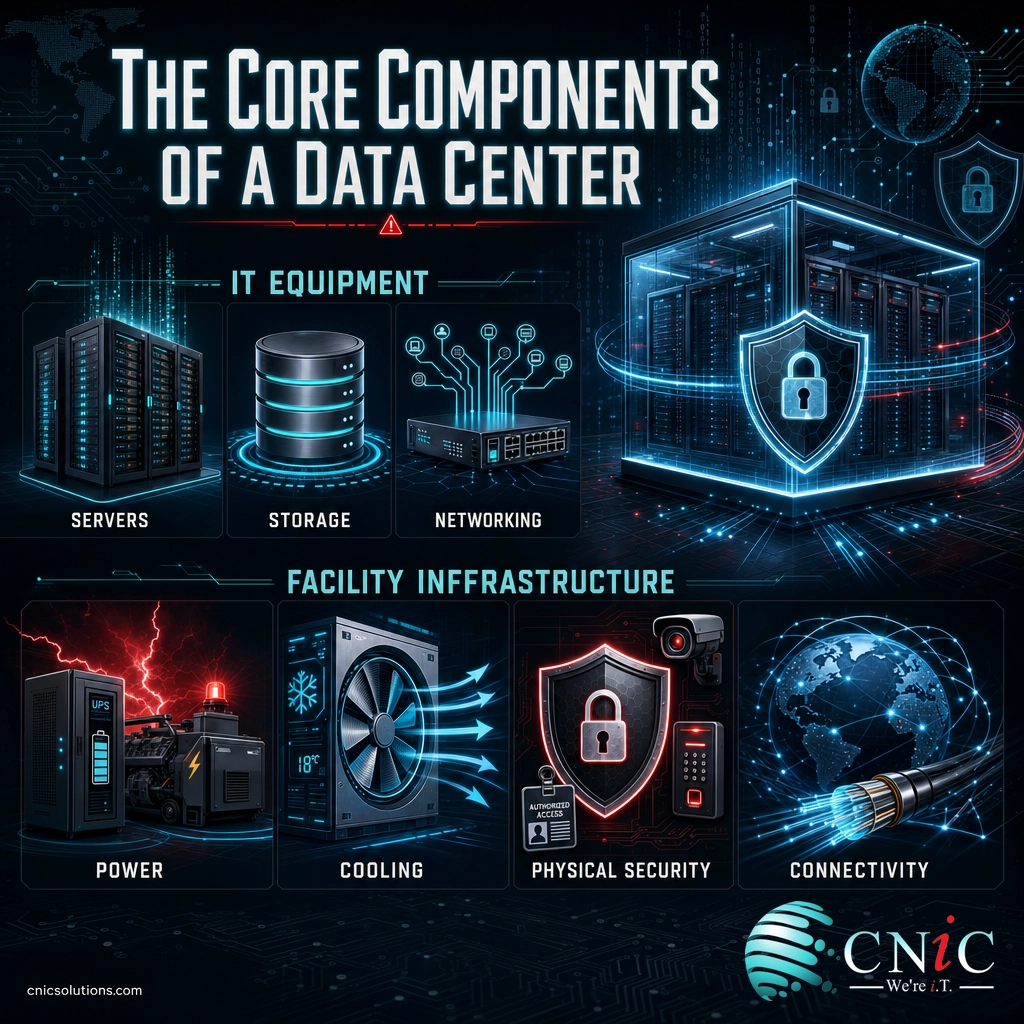
It helps to split a data center into two groups: the IT equipment that does the actual computing, and the facility infrastructure that keeps that equipment running. A data center is only as strong as its weakest supporting system, which is why the unglamorous parts (power and cooling) matter just as much as the servers.
IT Equipment
- Servers: the workhorses that run applications, process requests, and do the computing. Data centers use rack, blade, and specialized servers depending on the workload.
- Storage: the systems that hold the data, using hard drives (HDDs), solid-state drives (SSDs), and storage arrays that keep information available and protected.
- Networking: the switches, routers, firewalls, and cabling that move data between servers and out to users, and that keep traffic secure and fast.
Facility Infrastructure
- Power systems: distribution units, an uninterruptible power supply (UPS) for instant battery backup, and generators for extended outages, so equipment never loses power.
- Cooling systems: precision air or liquid cooling that removes the heat servers generate and holds a stable, safe temperature.
- Physical security: controlled access, surveillance, and monitoring that protect the hardware from intrusion and tampering.
- Connectivity: redundant, high-capacity network links (often from multiple carriers) that connect the facility to the internet and to other sites.
The two-layer rule of thumb: if you can point to it and say “that computes or stores something,” it is IT equipment. If it exists to keep that equipment powered, cool, safe, and connected, it is facility infrastructure. A real data center needs both, engineered to work together, which is exactly what a server closet lacks.
Source: U.S. Department of Energy: Federal Energy Management Program
Types of Data Centers
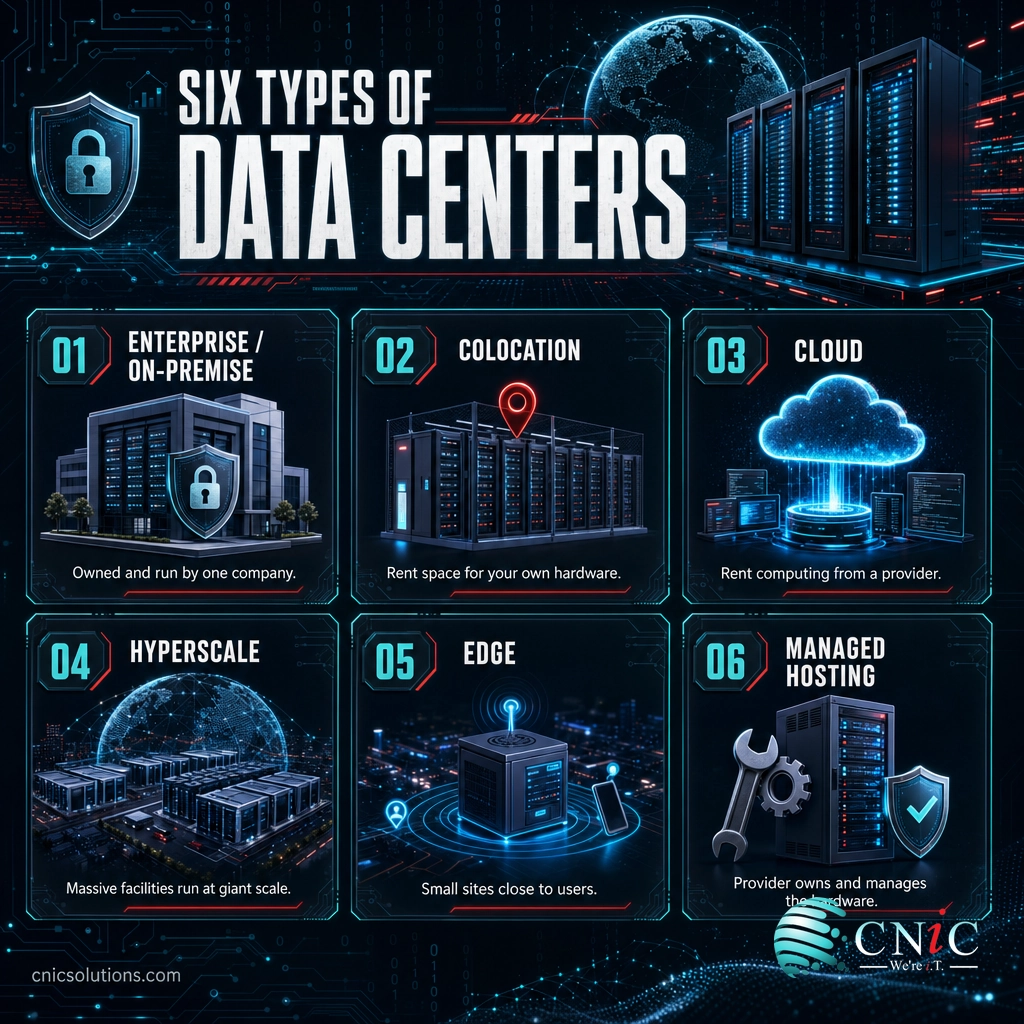
Not all data centers look alike. They range from a single company’s server room to campuses the size of warehouses. The main types differ by who owns them, who runs them, and where they sit.
- Enterprise (on-premise) data centers: owned, built, and operated by a single organization inside its own building. This gives full control but puts the entire cost and management burden on that one company.
- Colocation data centers: facilities where a business rents space to house its own hardware, while the provider supplies the building, power, cooling, and security. It is a middle path between running your own room and going fully cloud. We cover this in depth in our guide to renting space in a third-party facility.
- Cloud data centers: operated by providers such as major cloud platforms, where you rent computing power and storage over the internet rather than owning any hardware.
- Hyperscale data centers: the enormous facilities run by the largest cloud and internet companies, built to serve millions of users and to scale almost without limit.
- Edge data centers: small facilities placed physically close to users or devices to cut delay (latency), often supporting things like streaming, IoT, and real-time applications.
- Managed hosting data centers: where a provider owns the hardware and manages it for you, sitting between colocation and cloud.
Which type do most small and midsize businesses use? Rarely their own enterprise data center, which is expensive to build and run. Far more common is a mix: cloud services for flexible workloads, colocation for owned hardware that needs a professional facility, and sometimes a small on-premise server room for local needs. The right blend depends on your workloads, budget, and compliance requirements.
Source: National Renewable Energy Laboratory
Data Center vs. the Cloud
This is the single most common point of confusion, so it is worth settling clearly. People often talk about “the cloud” as if it replaced data centers. It did not. The cloud runs inside data centers.
The difference is about ownership and access, not about one thing beating another:
| Question | Data Center (your own / colocation) | The Cloud |
|---|---|---|
| What is it? | A physical building full of equipment | Computing power rented over the internet |
| Who owns the hardware? | You (or you rent the space) | The cloud provider |
| Where does it physically run? | A facility you can point to | Inside the provider’s data centers |
| How do you scale? | Buy and install more equipment | Adjust your subscription almost instantly |
| Upfront cost | Higher (hardware and setup) | Lower (pay as you go) |
| Control | Full control of the hardware | Provider controls the hardware |
The plain-English version: a data center is the physical place where computing happens, and the cloud is a way of renting that computing from someone else’s data center over the internet. When you use a cloud service, your data is still sitting on physical servers in a physical building. You just do not own or manage that building. If you are weighing the two for your own systems, our comparison of keeping systems in-house versus moving them off-site breaks the decision down further.
Why Data Centers Matter for Your Business
Even if you never step inside one, data centers shape your costs, your uptime, and your risk. Three numbers make the point.
Data centers now consume a meaningful and fast-growing share of the world’s electricity, driven heavily by AI. For a business, that matters because energy is one of the largest ongoing costs of running IT infrastructure, and it is a big reason building your own facility is so expensive compared with renting capacity.
PUE measures how much of a facility’s power actually reaches the computing equipment versus how much is spent on overhead like cooling. A PUE of 1.0 would be perfect. The industry average sitting at 1.56 shows how much extra energy goes just to keep equipment cool and powered, which is precisely the kind of engineering a professional facility does better than a back-office server room.
Downtime is expensive, and it is the core problem a well-run data center is built to prevent. When your systems go down, work stops, customers notice, and the losses add up fast. The redundant power, cooling, and monitoring inside a professional facility exist specifically to keep that from happening.
Myth: “The cloud means data centers don’t matter anymore.”
This is backwards. The rise of the cloud has driven the largest data center construction boom in history, because every cloud service has to run on physical servers in a physical building. Moving to the cloud does not escape data centers; it just changes who owns and runs them. The real question was never “data center or cloud,” it is which mix of facilities fits your business, and who manages the equipment inside them.
On-Premise, Colocation, or Cloud: What It Means for You
Here is the practical takeaway. Almost no small or midsize business needs to build a data center. What you do need is a clear answer to a different question: where should each of your systems and workloads actually live? Some belong in the cloud for flexibility, some on owned hardware in a colocation facility for control or compliance, and some in a small on-premise setup.
Getting that mix right is a strategy decision, not just a hardware purchase, and getting it wrong is costly in money, downtime, and risk. That is where a managed IT and infrastructure management partner earns its keep: mapping your workloads to the right home, then keeping the equipment monitored, patched, secured, and backed up wherever it sits. Because CNiC Solutions is vendor-neutral, the recommendation is built around what fits your business, not around filling a particular facility.
Get expert help planning and managing your infrastructure
If you are making a bigger call about where your technology should live over the next few years, a Virtual CIO can build that strategy with you, and a solid backup and recovery plan makes sure your data survives no matter which facility holds it.
Related Terms
- Server: A powerful computer that runs applications and serves data to other devices, and the core workhorse inside any data center.
- Colocation (colo): Renting space in a third-party data center to house your own hardware while the provider runs the facility.
- Cloud computing: Renting computing power and storage over the internet from a provider’s data centers instead of owning hardware.
- Hyperscale: Very large data centers run by major cloud and internet companies, built to scale to millions of users.
- Edge computing: Processing data at small facilities close to users or devices to reduce delay.
- PUE (Power Usage Effectiveness): A measure of data center energy efficiency, comparing total facility power to the power that reaches computing equipment.
- Redundancy: Backup systems (power, cooling, network) that take over if a primary system fails, keeping the facility running.
- Uptime / tier rating: An Uptime Institute classification (Tier I to IV) indicating a facility’s redundancy and expected availability.
Frequently Asked Questions
What is a data center in simple terms?
What are the main components of a data center?
What are the different types of data centers?
What is the difference between a data center and the cloud?
Does a small business need its own data center?
Sources
Global data center electricity figures (about 415 TWh in 2024, roughly 1.5% of world demand, projected near 945 TWh by 2030) are from the International Energy Agency. The industry-average PUE of 1.56 and the outage cost figures (54% of significant outages costing more than $100,000, one in five exceeding $1 million) are from the Uptime Institute 2024 Global Data Center Survey and its 2024 Annual Outage Analysis. Component and data center type definitions reflect standard, widely documented industry categories, with facility efficiency and energy references drawn from the U.S. Department of Energy.



related posts
What Is a DDoS Attack? How DDoS Attacks Work and How to…
October 4, 2026A DDoS attack (distributed denial-of-service attack) is an attempt to take a website, application, or network…
What Is a Checksum? How It Verifies Data Integrity
October 3, 2026A checksum is a small value calculated from a block of digital data, used to detect…
What Is a Brute Force Attack? How It Works and How to…
October 3, 2026A brute force attack is a trial-and-error method for cracking a password, PIN, or encryption key…
What Are TTPs in Cybersecurity? Tactics, Techniques, and Procedures Explained
October 2, 2026TTPs, short for tactics, techniques, and procedures, describe how a cyber attacker behaves: the goal they…