

The in-house IT vs outsourced IT decision is really a total-cost-of-ownership question. In-house IT means hiring staff on your payroll; outsourced IT means paying a managed provider a predictable recurring fee. The right choice depends not on salary versus monthly fee, but on the true total cost of each model for your business size and complexity.
At some point nearly every growing business asks the same question: should we hire someone to handle IT, or outsource it to a provider? It is tempting to answer by comparing a salary to a monthly service fee, but that comparison is misleading. Both models carry costs that never show up on the obvious line item, and the wrong choice can either strain your budget or leave your business exposed. This guide breaks down the real, total cost of each option, the hidden costs on both sides, and how to figure out which model actually fits your business. It deliberately focuses on the cost framework rather than quoting specific dollar figures, because real numbers vary widely by market, business size, and scope.
Key Takeaways
- Salary is not the real cost. An in-house hire’s true cost is well above base pay once benefits, tools, and overhead are counted.
- Compare total cost of ownership, not a salary against a monthly invoice. That is the only apples-to-apples view.
- One generalist vs a team of specialists. A single hire cannot cover security, cloud, and compliance the way a provider’s team can.
- Outsourced IT trades variable cost for predictable cost. A recurring fee replaces unpredictable hiring, turnover, and emergency expenses.
- Hybrid is common. Co-managed IT pairs an internal person with a provider, and is often the best fit as businesses grow.
What’s in This Guide
Why Salary Comparison Misleads You
The instinct is to put an IT salary next to a managed provider’s monthly fee and call it a comparison. The problem is that neither number represents the full cost of its model. An in-house salary leaves out benefits, tools, training, and the cost of the hours that hire cannot cover. A monthly provider fee, meanwhile, bundles in services a single employee could never deliver alone. To compare honestly, you have to look at the total cost of ownership (TCO) of each model: every direct and indirect cost it carries over time. That is the only apples-to-apples view, and it usually changes the picture.
The True Cost of In-House IT
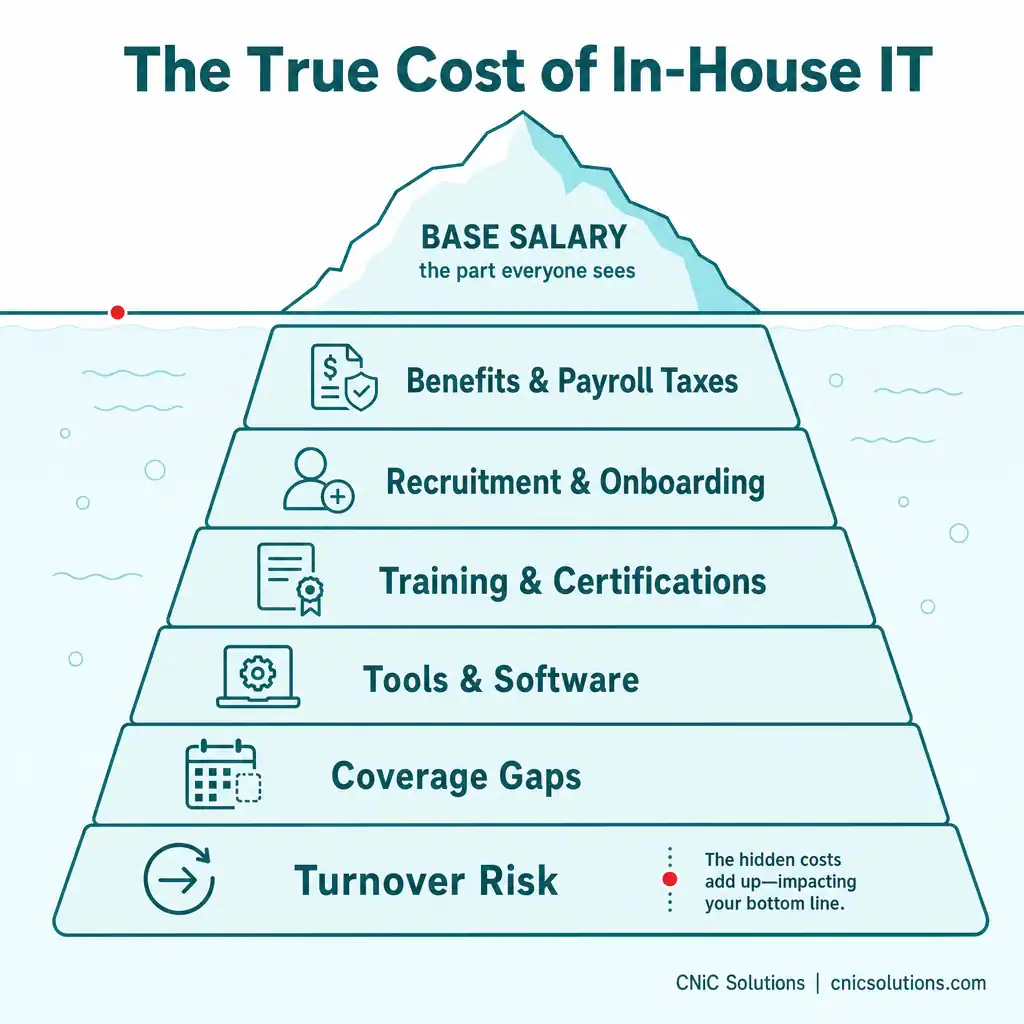
When you hire internal IT staff, the base salary is just the starting point. The full cost includes several layers most budgets overlook:
- Benefits and payroll taxes: Health insurance, retirement, paid leave, and employer taxes. A widely used rule of thumb is that an employee’s fully loaded cost runs roughly 1.25 to 1.4 times their base salary once these are added.
- Recruitment and onboarding: Job ads, recruiter fees, interviewing time, and the weeks or months before a new hire reaches full productivity.
- Training and certifications: Technology changes constantly, and keeping skills current is an ongoing, recurring expense.
- Tools and software: The platforms an IT pro needs (remote monitoring and management, endpoint security, backup tools, ticketing) carry their own licensing costs.
- Coverage gaps: One person cannot cover vacations, sick days, and after-hours emergencies. There are simply times when no one is available, or problems wait.
- Turnover risk: Losing a key IT employee can disrupt operations for months and restart the recruitment cost cycle.
- The generalist problem: A single hire is usually a generalist, but modern IT demands specialists in security, cloud, and compliance. That gap is where expensive vulnerabilities hide.
Add these together and the visible salary is only a portion of the real number. Industry sources commonly estimate that these hidden costs add somewhere on the order of 30 to 50 percent on top of the salary line, which is why in-house IT routinely costs far more than business owners first expect.
The Cost of Outsourced IT
Outsourced IT, delivered by a managed service provider (MSP), flips the cost structure. Instead of capital-heavy, unpredictable expenses tied to staffing, you pay a predictable recurring fee. Providers typically price one of a few ways:
- Per user, per month: The most common model, scaling directly with your headcount and covering all of a user’s devices and support.
- Per device, per month: Priced by endpoints or servers, common in hardware-heavy environments.
- Flat monthly rate: A fixed fee for the whole organization, predictable and easy to budget.
- Tiered packages: Increasing scope from basic support up to fully managed.
The defining advantage is not just the headline price, it is what is bundled into it. A quality managed agreement typically covers help desk support, monitoring, security operations, backup management, patching, vendor coordination, and strategic planning, the work of several specialists, for one predictable cost. Just as importantly, it converts variable costs (turnover, emergencies, one-off fixes) into a flat operating expense you can plan around. This connects directly to how a business structures its overall IT budget, where predictable OpEx is usually easier to manage than lumpy capital spending.
A Note on the Numbers You’ll See Online
Cost-comparison articles are full of precise-sounding claims, “outsourcing saves 40 percent,” “MSPs cost $150 per user,” and so on. Treat these with caution. Almost all come from providers’ own marketing, and the figures conflict heavily from source to source because real costs depend entirely on your size, complexity, location, and the scope of service. Use the cost categories in this guide to model your own situation; do not trust a single quoted percentage as a universal truth.
Beyond Cost: The Trade-Offs
Cost is the headline, but the decision is not only about money. Each model carries real, non-financial trade-offs worth weighing honestly:
- In-house strengths: Physical presence and immediate availability, deep institutional knowledge of your specific environment, alignment with your culture, and direct control over priorities and sensitive systems.
- In-house limits: Limited skill breadth (one or two people cannot master every domain), coverage gaps, and the full management burden falling on you.
- Outsourced strengths: Access to a team of specialists, 24/7 monitoring and support, built-in security and continuity capability, scalability up or down, and predictable cost.
- Outsourced limits: Less direct day-to-day control, and some scenarios (heavy on-site hardware work, highly specialized proprietary or legacy systems) where a purely remote model needs supplementing.
The honest takeaway is that there is no universal winner. The right answer depends on your size, complexity, growth plans, and how central technology is to your operations.
How to Calculate Your Own Comparison
Rather than trusting someone else’s percentages, build your own apples-to-apples comparison. The method is straightforward:
- Total your real in-house cost. Take the salaries you would need, multiply by roughly 1.25 to 1.4 to account for benefits and taxes, then add recruitment, training, tools and software, and a realistic allowance for coverage gaps and turnover. That is your true in-house baseline, not the salary line in your budget.
- Total the outsourced cost for equivalent scope. Get pricing for a managed agreement that actually matches what you need covered (support, security, monitoring, backup, planning), not a stripped-down quote.
- Compare like for like. Make sure both sides cover the same scope. A cheaper in-house number that omits security and after-hours coverage is not really cheaper, it is narrower.
- Model it over time. Look at a multi-year horizon and factor in growth, so you are comparing how each option scales, not just this year’s snapshot.
Done properly, this exercise gives you a defensible, business-specific answer instead of a generic claim, which is exactly what a decision this size deserves.

The Hybrid Option: Co-Managed IT
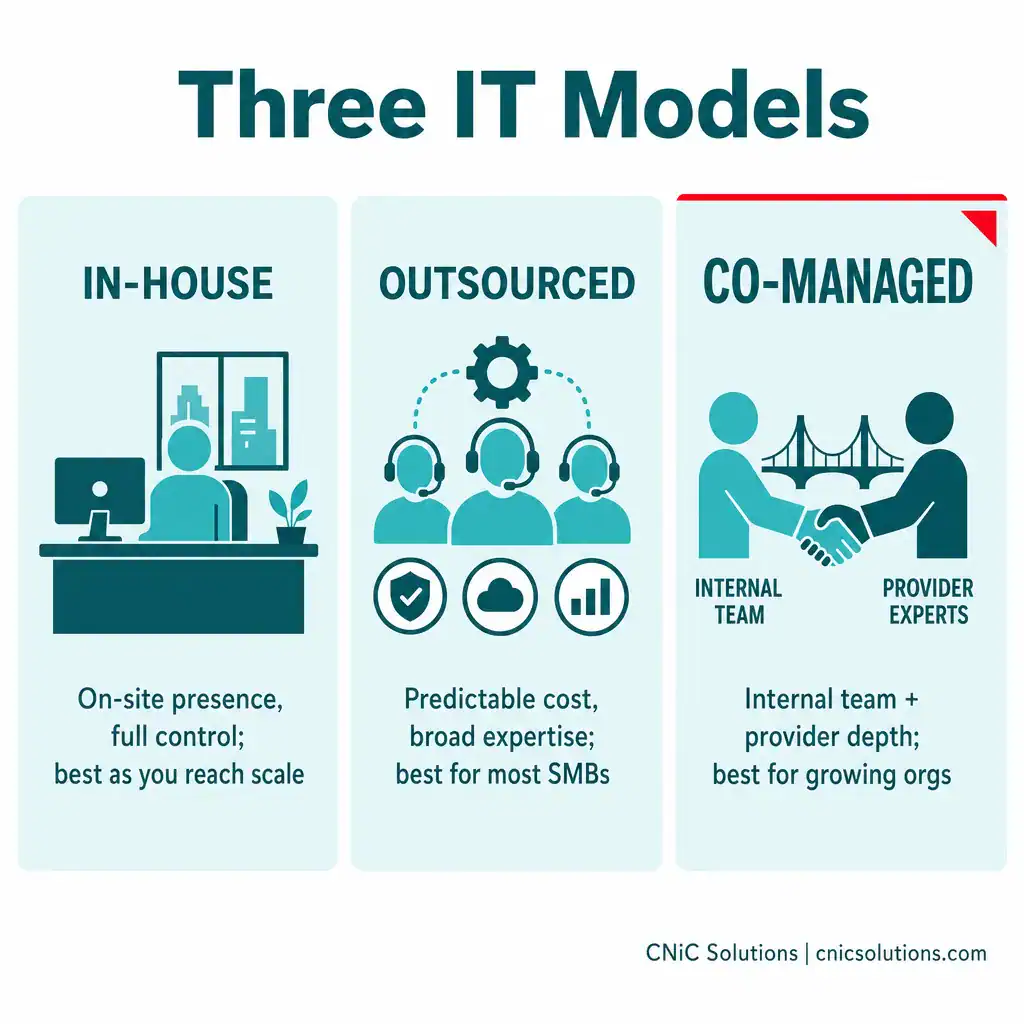
The choice is not strictly either-or, and for many growing businesses the best answer is a blend. Co-managed IT pairs an internal team or a single internal IT lead with an external managed provider. The internal person handles daily user support, institutional knowledge, and vendor relationships; the provider supplies security operations, 24/7 monitoring, after-hours coverage, and specialized expertise the internal staff does not have.
This model is popular for good reason. It gives you the on-site presence and continuity employees appreciate while ensuring enterprise-grade security and depth behind them. It also reduces the burnout and turnover risk that comes from asking one person to do everything alone. The goal of co-managed IT is to fill gaps, not start over, you keep what is working internally and add the depth and scalability of a larger team around it.
Which Model Fits Your Business?
Pulling it together, here is how the decision tends to break down:
- Lean toward outsourced if you are a small or midsize business where IT is essential but is not your product, you need broad expertise (especially security) without hiring several specialists, and you value predictable cost.
- Lean toward in-house as you grow large enough to keep a full team genuinely busy, or when you need constant on-site presence, deep control over proprietary systems, or institutional knowledge that has to live inside the company.
- Lean toward co-managed/hybrid if you have or want an internal IT presence but need to extend its coverage, add specialized skills, or get strategic guidance and depth around it, which describes a large share of growing organizations.
For most small and midsize businesses, the math and the expertise gap point toward outsourced or co-managed IT, but the right way to know is to run your own total-cost comparison for your specific environment.
CNiC Solutions provides managed IT services (fully outsourced and co-managed) for small and midsize businesses, and can give you a clear, apples-to-apples cost comparison based on your actual environment rather than a generic estimate. For the strategic side of the decision, our Virtual CIO services help align the model you choose with your long-term technology roadmap and budget.
Get a real IT cost comparison for your business
Frequently Asked Questions
Is outsourced IT cheaper than in-house IT?
What is the real cost of an in-house IT employee?
How is outsourced IT priced?
When does in-house IT make more sense than outsourcing?
What is co-managed IT?
About This Guide and Sources
This guide intentionally presents the cost framework for comparing in-house and outsourced IT rather than specific dollar figures or savings percentages. The reason: published cost-comparison figures vary dramatically across sources (and most originate from providers’ own marketing), because actual costs depend on business size, complexity, location, and service scope. The cost categories, the total-cost-of-ownership approach, the employee burden multiplier (commonly estimated at roughly 1.25 to 1.4 times salary), the common managed-IT pricing models, and the co-managed/hybrid option described here are broadly consistent across industry sources. Any business should build its own comparison from its actual requirements rather than relying on a generic percentage.



related posts
What Is Single Sign-On (SSO)? How It Works and Its Business Benefits
October 30, 2026Single sign-on (SSO) is a login method that lets one person use a single set of…
What Is SIP Trunking? How It Modernizes Business Phone Systems
October 30, 2026SIP trunking is a technology that connects a business phone system to the public telephone network…
What Is SIEM? Security Information and Event Management Explained
October 29, 2026A SIEM (security information and event management) is a security platform that collects log and event…
What Is Shadow IT? Risks, Examples, and How to Manage It
October 29, 2026Shadow IT is any hardware, software, cloud service, or AI tool that employees use for work…