
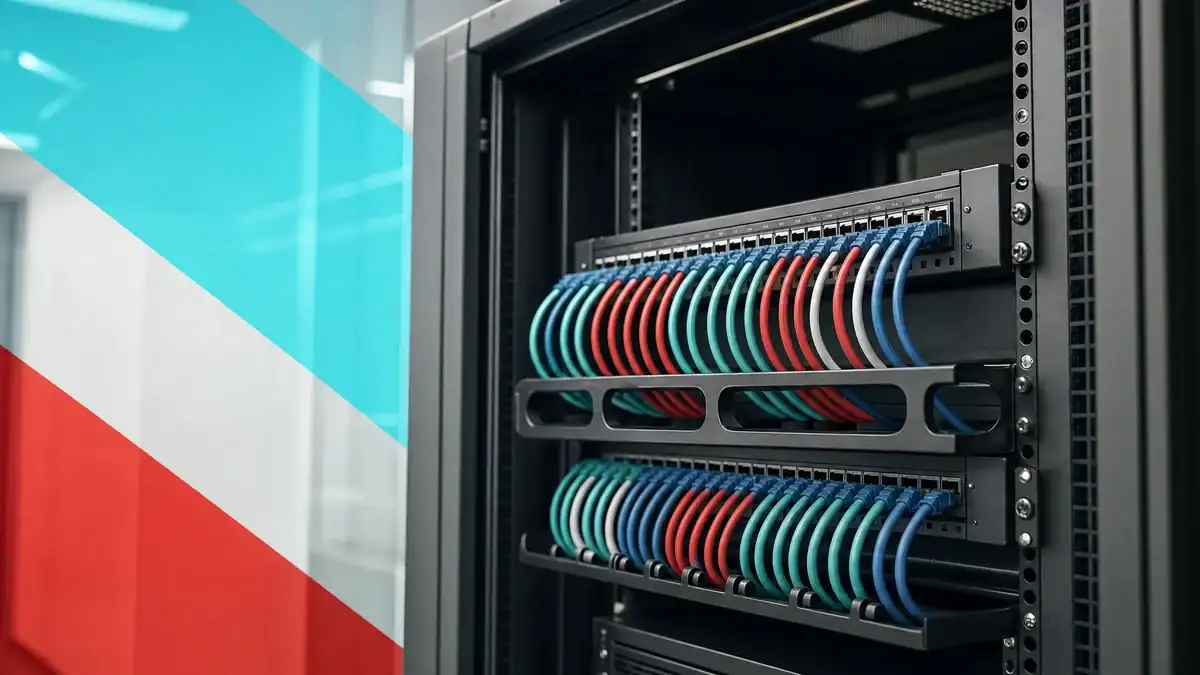
Short answer: for most offices running standard 1 Gigabit connections to desks, phones, and Wi-Fi access points, Cat6 is enough and costs less to buy and install. Choose Cat6a when you are wiring a new office, running 10 Gigabit Ethernet anywhere, cabling long runs near 100 meters, or you want infrastructure that will not need replacing for the next decade. The two cables perform identically at 1 Gigabit; the difference shows up at 10 Gigabit and over distance.
Ethernet cable is the one part of your network you install once and live with for ten to fifteen years, long after the switches, phones, and computers plugged into it have been replaced. Get the category wrong and you either overspend on cable you never use, or you cap your network years before you planned to and pay to pull it all out again. This guide compares Cat6 and Cat6a head to head on the criteria that actually decide the outcome for a business, speed, distance, interference, installation, cost, and future-proofing, and tells you plainly which one belongs in your office.
Key Takeaways
- Identical at 1 Gigabit. Both cables carry 1 Gigabit Ethernet to the full 100 meters. For standard office work, you will not see a performance difference.
- Cat6a wins at 10 Gigabit. Cat6a runs 10 Gigabit Ethernet across the full 100-meter channel; Cat6 manages 10 Gigabit only up to roughly 55 meters.
- Cat6a is built for interference. Its tighter twists and better shielding control alien crosstalk, the neighbor-cable noise that limits Cat6 at high speed.
- Cat6 is cheaper and easier to install. It is thinner, more flexible, and less expensive per foot, which adds up across a whole building.
- Buy for the decade, not the day. Because cabling outlives everything plugged into it, new office builds increasingly standardize on Cat6a to avoid re-cabling later.
What’s in This Guide
- Cat6 vs Cat6a at a Glance
- Understanding Cat6
- Understanding Cat6a
- Speed and Bandwidth
- Distance: The 10 Gigabit Question
- Alien Crosstalk and Shielding
- Installation, Size, and Cost
- Power over Ethernet and Heat
- Future-Proofing Your Cabling
- Cat6 vs Cat6a: The Full Comparison
- Who Should Choose Cat6
- Who Should Choose Cat6a
- The Verdict
- Frequently Asked Questions
Cat6 vs Cat6a at a Glance
Both cables use the same RJ45 connectors, plug into the same equipment, and are backward compatible with everything below them. The differences are in what they can do at the top end and how they behave over long, crowded cable runs. Here is the quick version before the detail.
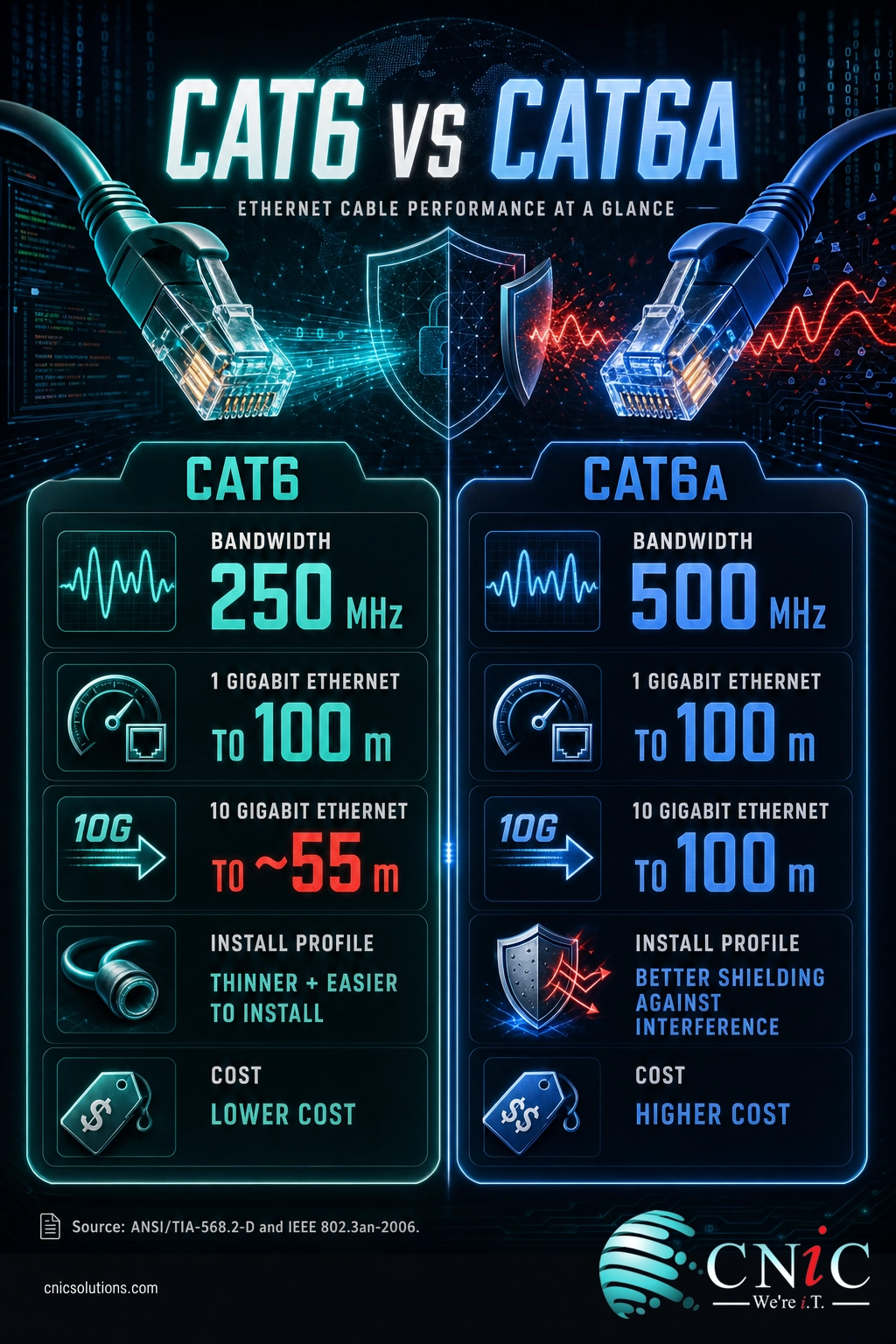
Cat6, the value standard
- Rated to 250 MHz of bandwidth
- 1 Gigabit Ethernet to 100 meters
- 10 Gigabit Ethernet to roughly 55 meters
- Thinner, more flexible, easier to pull
- Lower cost per foot and to install
Cat6a, the future-proof standard
- Rated to 500 MHz of bandwidth
- 1 Gigabit Ethernet to 100 meters
- 10 Gigabit Ethernet to the full 100 meters
- Tighter twists and better shielding against interference
- Thicker and stiffer, higher cost and labor
Understanding Cat6
Category 6 is the workhorse of modern business cabling and, for years, the default choice for new installations. It is a four-pair twisted copper cable rated to a bandwidth of 250 MHz, and it comfortably carries Gigabit Ethernet (1000BASE-T) to the full 100-meter channel that structured cabling standards allow. That covers the overwhelming majority of what an office actually does: computers, VoIP phones, printers, cameras, and wireless access points all running at 1 Gigabit or less.
Cat6 can also run 10 Gigabit Ethernet, which surprises people who assume you need a higher category for it. When the IEEE developed the 10GBASE-T standard, its goal was 10 Gigabit operation over Category 6 or better cabling, and the result does work, just not over the full distance. Over Category 6, 10 Gigabit is supported for shorter channels, commonly cited at around 55 meters and shorter still in bundled or noisy installations.
Where Cat6 fits: everyday business networking, retrofit and expansion work in existing buildings, and any run where 1 Gigabit is the ceiling you actually need. It is the lowest-cost cable that can touch 10 Gigabit at all, which makes it a pragmatic middle ground.
Genuine limitations: its 10 Gigabit reach is short and conditional, and it was not designed to control alien crosstalk, the interference between adjacent cables that becomes the limiting factor at 10 Gigabit speeds. In a tightly bundled riser or a crowded pathway, that is exactly the condition Cat6 struggles with.
Understanding Cat6a
Category 6a, where the “a” stands for augmented, was created specifically to make 10 Gigabit Ethernet reliable over the full 100-meter channel. TIA published the augmented Category 6 specification in 2008, after the 10 Gigabit standard exposed the distance limits of plain Cat6. Cat6a doubles the rated bandwidth to 500 MHz and is engineered from the inside out to hold a 10 Gigabit signal across a complete run.
Physically, Cat6a achieves this with tighter conductor twists, a larger overall build, and improved shielding or an internal separator that keeps the pairs, and neighboring cables, from interfering with one another. The payoff is that Cat6a is specified to carry 10 Gigabit Ethernet to 100 meters, the same full distance you get from Cat6 at 1 Gigabit. It is also backward compatible, so it drops into Cat6 and Cat5e environments without any equipment changes.
Where Cat6a fits: new office builds, data center and server-room links, high-density Wi-Fi 6E and Wi-Fi 7 access points that increasingly want multi-Gigabit uplinks, and any environment where you want the cabling to outlast several generations of equipment.
Genuine limitations: it is thicker, heavier, and stiffer than Cat6, which makes it harder to pull, route, and terminate. It takes up more room in conduit and pathways, and it costs more, both for the cable itself and for the labor to install it. Those are real trade-offs, not marketing distinctions.
Speed and Bandwidth
Bandwidth, measured in megahertz, describes how much frequency range a cable can carry, which sets the ceiling on how much data it can move. Cat6 is rated to 250 MHz and Cat6a to 500 MHz, double the headroom. That extra bandwidth is what lets Cat6a sustain a clean 10 Gigabit signal where Cat6 runs out of margin.
Rated Bandwidth by Cable Category
Rated maximum frequency per category. Source: ANSI/TIA-568.2-D balanced twisted-pair cabling standard.
Here is the catch that changes the whole decision: for the 1 Gigabit connections that make up most office traffic, both cables deliver identical performance to 100 meters. The bandwidth advantage only translates into a real-world difference when you are pushing 10 Gigabit Ethernet. If your desks, phones, and access points top out at 1 Gigabit, you will never see the benefit of Cat6a’s extra headroom on speed alone. The reason to reach for it is distance and reliability at 10 Gigabit, not faster everyday browsing.
Source: CommScope Cat6A Fact File (500 MHz channel requirement)
Distance: The 10 Gigabit Question
This is the criterion that decides most Cat6-versus-Cat6a debates, and it is entirely about 10 Gigabit Ethernet. At 1 Gigabit, both cables reach the full 100-meter channel with no practical difference. At 10 Gigabit, they split sharply.
Cat6 supports 10 Gigabit only over a reduced distance. The IEEE 802.3an standard, approved in 2006, defined 10GBASE-T with an objective of running over Category 6 or better, but the reliable distance over plain Cat6 lands at roughly 55 meters, and can be shorter where cables are tightly bundled or run near strong interference. Cat6a, by contrast, is specified to deliver 10 Gigabit across the full 100 meters, because it was purpose-built to control the interference that shortens Cat6.
Maximum 10 Gigabit Ethernet Run Length
Maximum supported 10GBASE-T channel length. Source: IEEE 802.3an-2006; CommScope Cat6A Fact File.
What this means in a real building: 55 meters sounds like plenty until you account for the path a cable actually travels, up through the ceiling, across the plenum, down a wall, and through patch panels at both ends. In a larger office or a multi-floor space, a meaningful share of runs can exceed the Cat6 10 Gigabit limit. If 10 Gigabit is anywhere in your plan, Cat6a removes the distance guesswork entirely.
Source: IEEE 802.3an 10GBASE-T Task Force

Alien Crosstalk and Shielding
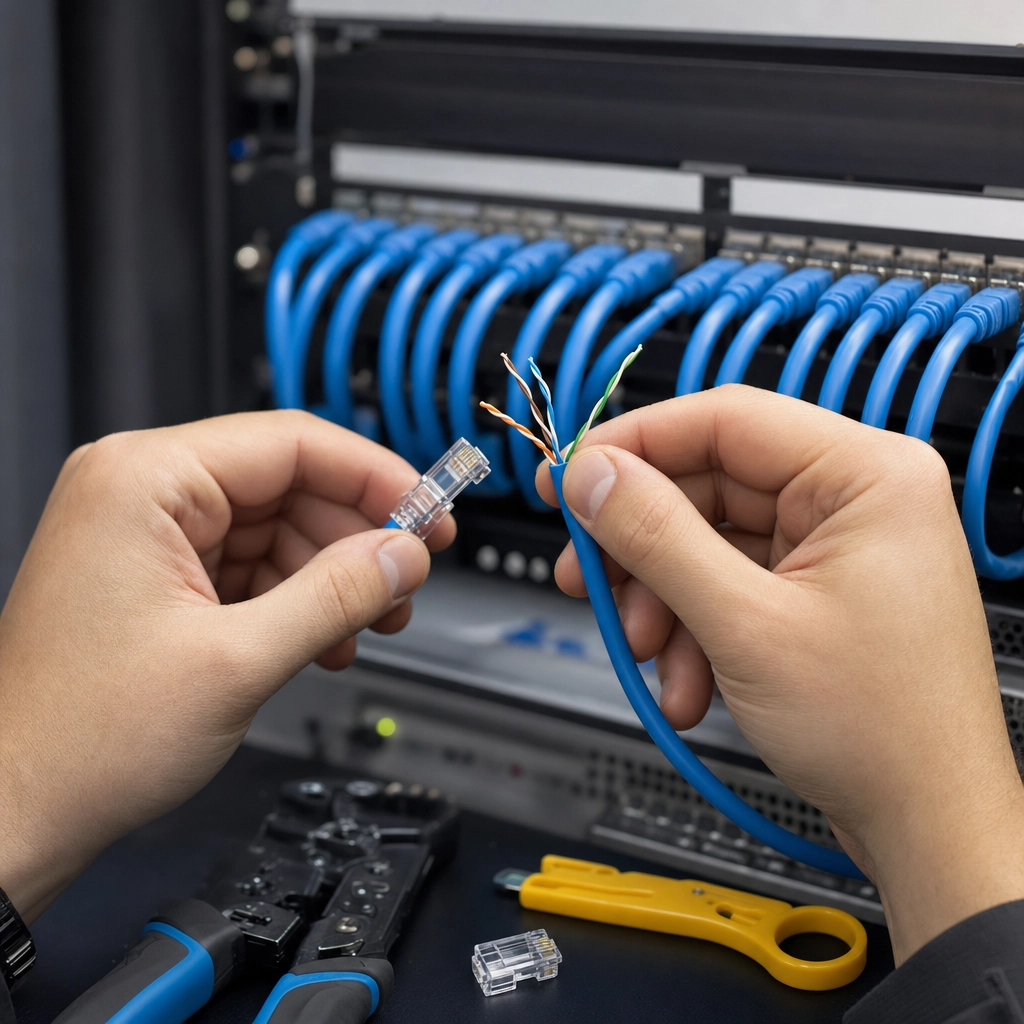
Most cable interference can be managed by the electronics at each end, but one type cannot: alien crosstalk, the noise that leaks between one cable and the cables bundled around it. Because it comes from outside the cable, the transceiver has no way to cancel it. As 10 Gigabit signals push cables harder, alien crosstalk becomes the parameter that decides whether a 10 Gigabit link holds or fails.
This is the single biggest engineering difference between the two categories. Cat6 was not designed to control alien crosstalk, which is a core reason its 10 Gigabit reach is limited. Cat6a was designed specifically to suppress it, through tighter twist rates, a larger and more uniform geometry, and shielding or an internal separator. In a real installation, that resilience matters most exactly where offices tend to concentrate cable: tightly packed risers, full conduit, and dense patch panels.
Myth: “Cat6e” is the safe upgrade between Cat6 and Cat6a. There is no such thing as a Cat6e standard. TIA never defined it. “Cat6e” is a marketing label some vendors stamp on cable, and because no specification backs it, two “Cat6e” cables can perform completely differently, one barely better than Cat6, another close to Cat6a, with no way to know from the label. If you need certified 10 Gigabit performance, specify genuine Cat6a, which is defined and tested against a real standard.
Source: CommScope Cat6A Fact File (alien crosstalk reduction)
Installation, Size, and Cost
This is the criterion where Cat6 wins cleanly, and it is a bigger deal than spec sheets suggest. Cat6a is noticeably thicker, heavier, and stiffer than Cat6 because of its larger conductors, tighter build, and added shielding. That physical difference shows up at every stage of an install.
Thicker cable is harder to pull through conduit and around tight corners, needs a larger bend radius, and fills pathways faster, which can mean bigger conduit or more of it. Termination takes more care. All of that is labor, and labor is usually the largest line item in a cabling project. Add the higher per-foot price of the cable itself, and Cat6a can cost meaningfully more to deploy across a whole building, not just a little more per foot.
For a business weighing the two, the honest framing is this: Cat6 saves real money today, especially on large jobs or retrofits into existing infrastructure. Cat6a spends more today to buy performance and longevity you may or may not need. Neither is wasteful; they answer different questions. Treating cabling as part of a deliberate IT infrastructure plan, with a site walk of the actual space, turns those trade-offs into a real number rather than a rule of thumb.
Power over Ethernet and Heat
More devices now draw power over the same cable that carries their data, phones, cameras, wireless access points, and door hardware all running on Power over Ethernet. When many powered cables are bundled together, they generate heat, and heat raises resistance and can degrade performance across the bundle. This is a growing consideration as PoE power levels climb.
Cat6a’s larger conductors and construction give it better thermal behavior in dense, high-power bundles than Cat6 or Cat5e. If your office runs, or plans to run, a lot of PoE devices packed into shared pathways, that heat-dissipation margin is a practical point in Cat6a’s favor. For a modest number of PoE devices, Cat6 handles it without concern. If Power over Ethernet is central to your build, it is worth reading up on how PoE delivers power and data on one cable before you pick a category.
Source: CommScope Cat6A Fact File (thermal dissipation for PoE)
Future-Proofing Your Cabling
Here is the argument that increasingly decides new installs in Cat6a’s favor, and it has nothing to do with today’s speeds. Cabling is the longest-lived layer of a network. Switches get replaced every few years, computers even faster, but the cable in the walls typically stays for a decade or more. It is also the most disruptive and expensive layer to replace, because it means opening ceilings and walls and pulling everything again.
That asymmetry is why future-proofing matters. If you install Cat6 today and your business grows into 10 Gigabit equipment in five years, some of your runs will be too long to support it and you will face a partial or full re-cable. If you install Cat6a today, the cabling is ready for 10 Gigabit whenever the equipment catches up, across the full building, with no rework. For a new office you plan to occupy for years, paying once for Cat6a is often cheaper than paying twice for Cat6 and then its replacement. This is the same logic that guides any well-planned business network design: build the foundation for where you are going, not only where you are.
Cat6 vs Cat6a: The Full Comparison
The head-to-head, summarized. Remember that “winner” here means higher capability, not automatically the right buy; cost and ease of install are real advantages, and the best cable is the one that fits your plan.
| Criterion | Cat6 | Cat6a | Better |
|---|---|---|---|
| Rated bandwidth | 250 MHz | 500 MHz | Cat6a |
| 1 Gigabit Ethernet distance | 100 m | 100 m | Tie |
| 10 Gigabit Ethernet distance | ~55 m | 100 m | Cat6a |
| Alien crosstalk control | Not designed for it | Engineered to suppress | Cat6a |
| Cable size and flexibility | Thinner, easier to pull | Thicker, stiffer | Cat6 |
| PoE heat in dense bundles | Fine at light loads | Better dissipation | Cat6a |
| Cost (cable and labor) | Lower | Higher | Cat6 |
| Future-proofing horizon | Good for 1 GbE era | Ready for 10 GbE decade | Cat6a |
| Connector and compatibility | RJ45, backward compatible | RJ45, backward compatible | Tie |
Who Should Choose Cat6
Cat6 is the right call more often than cable marketing admits. It is the sensible choice when:
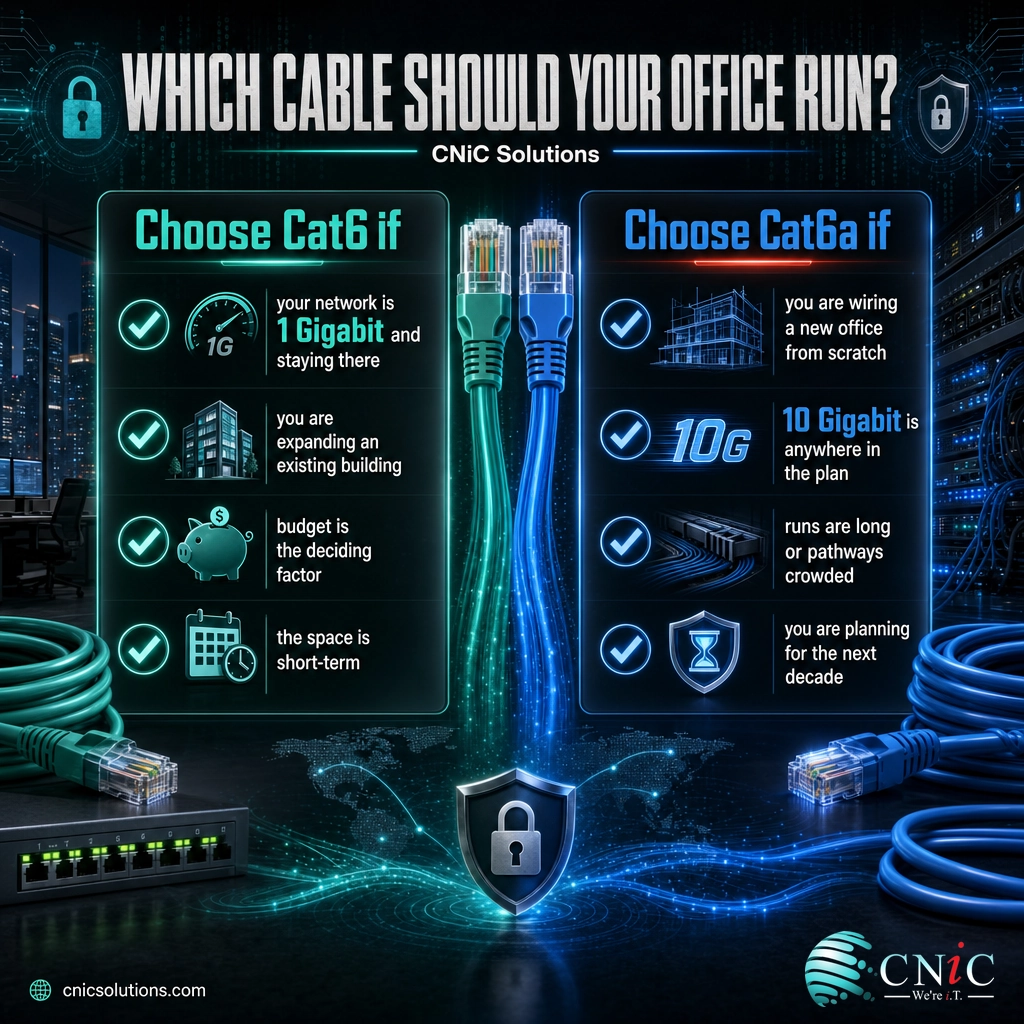
- Your network is 1 Gigabit and staying that way. Desks, VoIP phones, printers, and standard Wi-Fi access points do not need more, and Cat6 delivers 1 Gigabit to the full 100 meters.
- You are expanding or retrofitting an existing building. Matching the cable already installed, at lower cost and with easier pulls through existing pathways, keeps the project practical.
- Budget is the deciding constraint. On a large job, the per-foot and labor savings of Cat6 are substantial, and that money may be better spent elsewhere in the network.
- The space is short-term. A leased office you may leave in a few years does not need cabling engineered for a ten-year horizon.
If your runs are short, your speeds are modest, and your timeline is near-term, Cat6 is not a compromise, it is the correct engineering and financial choice.
Who Should Choose Cat6a
Cat6a earns its premium when the plan reaches past today’s 1 Gigabit baseline. Choose it when:
- You are wiring a new office or building from scratch. The labor is already committed, so the incremental cost of stepping up to Cat6a is at its lowest, and you lock in 10 Gigabit readiness building-wide.
- 10 Gigabit is anywhere in the picture. Server links, storage, uplinks between switches, or high-density Wi-Fi 6E and Wi-Fi 7 access points all benefit, and Cat6a removes the 55-meter distance ceiling.
- Runs are long or pathways are crowded. Where cables approach 100 meters or bundle tightly in risers and conduit, Cat6a’s alien-crosstalk resistance is exactly the margin you want.
- You are planning for the decade. If replacing cabling later would be disruptive and expensive, and it almost always is, paying once for Cat6a beats paying twice.
For a forward-looking business build, Cat6a is insurance against a re-cable, bought at the one moment it is cheapest to install.
The Verdict
There is no universal winner, and any guide that names one is selling cable rather than advising you. The right choice follows from two questions: how fast will this network need to go, and how long will this cabling need to last?
If the answer is 1 Gigabit for a few years in an existing space, install Cat6 and spend the savings on better switching or security. If you are building new, running 10 Gigabit anywhere, cabling long or dense runs, or planning to stay put for a decade, install Cat6a and never think about the cable in the walls again. For the growing share of businesses building for the long term, Cat6a has quietly become the default for new construction, precisely because the cabling outlives everything it connects.
The one mistake to avoid is guessing. The cost of choosing wrong is not the price difference between two cables; it is the price of tearing out the wrong one. A short design conversation about your floor plan, run lengths, device roadmap, and how long you will occupy the space turns this from a coin flip into a clear decision.
Get a professional cabling assessment for your office
Frequently Asked Questions
Is Cat6a better than Cat6?
Does my office need Cat6 or Cat6a?
Can Cat6 run 10 Gigabit Ethernet?
Is Cat6a worth the extra cost for a small office?
Is Cat6a the same as Cat7 or Cat6e?
About This Guide and Sources
The performance characteristics compared here reflect the balanced twisted-pair cabling categories as defined by the Telecommunications Industry Association (ANSI/TIA-568.2-D) and ISO/IEC 11801, and the 10GBASE-T application as standardized by IEEE 802.3an-2006. Bandwidth figures (250 MHz for Cat6, 500 MHz for Cat6a), the 100-meter channel for 1 Gigabit Ethernet, and the reduced 10 Gigabit reach of Cat6 (commonly cited near 55 meters and dependent on installation conditions and alien crosstalk) are drawn from those standards and from CommScope’s published Category 6A technical reference. Cost, size, and installation-labor differences are directional and general; actual figures depend on the specific building, run lengths, pathways, and local labor rates, and should be quoted per project. No performance figure in this article is presented as a guarantee for a specific installation.
Sources: IEEE 802.3an 10GBASE-T Task Force; TIA cabling standards (ANSI/TIA-568); CommScope: Cat 6A Fact File.



related posts
What Is ZTNA (Zero Trust Network Access)?
November 3, 2026Zero Trust Network Access (ZTNA) is a security service that grants a verified user access to…
Zero Trust Statistics for 2026: Adoption, Maturity, and Breach Impact
November 3, 2026Zero trust has become the default security strategy on paper, but not yet in practice. Okta's…
What Is Zero Trust Security? A Guide for Small Businesses
November 2, 2026Zero Trust security is a cybersecurity model built on one rule: never trust, always verify. Instead…
What Is XDR (Extended Detection and Response) and How Does It Protect…
November 2, 2026Extended detection and response (XDR) is a security platform that collects and correlates threat data from…