

Network security monitoring (NSM) is the continuous collection and analysis of network traffic and logs to detect, investigate, and respond to cyber threats inside a network. Unlike a firewall that blocks at the edge, it assumes attackers get in and watches for the signs, so intrusions are caught early instead of months later.
Most cyberattacks do not announce themselves. An intruder slips past the firewall using a stolen password or a booby-trapped email, then moves quietly through the network for days or weeks before anyone notices. Network security monitoring exists to close that blind spot. It watches the traffic flowing across your network, hunts for the fingerprints of an attack in progress, and gets a response moving before a quiet break-in becomes a full breach. This guide explains what network security monitoring is, how it works, how it differs from ordinary network monitoring, and how to tell whether your business needs it.
- NSM assumes attackers get in. Instead of only guarding the perimeter, it continuously analyzes internal traffic and logs to catch threats that are already past the firewall.
- Detection is still too slow. IBM found it took an average of 258 days to identify and contain a breach in 2024, the window that monitoring is designed to shrink.
- Attackers hide for days. Mandiant put the global median attacker dwell time at 10 days in 2024, meaning intruders operate undetected long enough to do real damage.
- It is not the same as network monitoring. Network monitoring watches for outages and slowdowns; network security monitoring watches for attacks.
- Most businesses outsource it. Running around-the-clock monitoring in-house is expensive, so many companies get NSM through a managed security provider.
What’s in This Guide
How Network Security Monitoring Works
Network security monitoring grew out of a simple idea: perimeter defenses fail, so you need to watch what happens after they do. The practice lines up with the government standard for keeping eyes on a network over time. The NIST definition of information security continuous monitoring describes maintaining ongoing awareness of threats and vulnerabilities to support risk decisions. In practice, network security monitoring runs that awareness as a continuous loop.
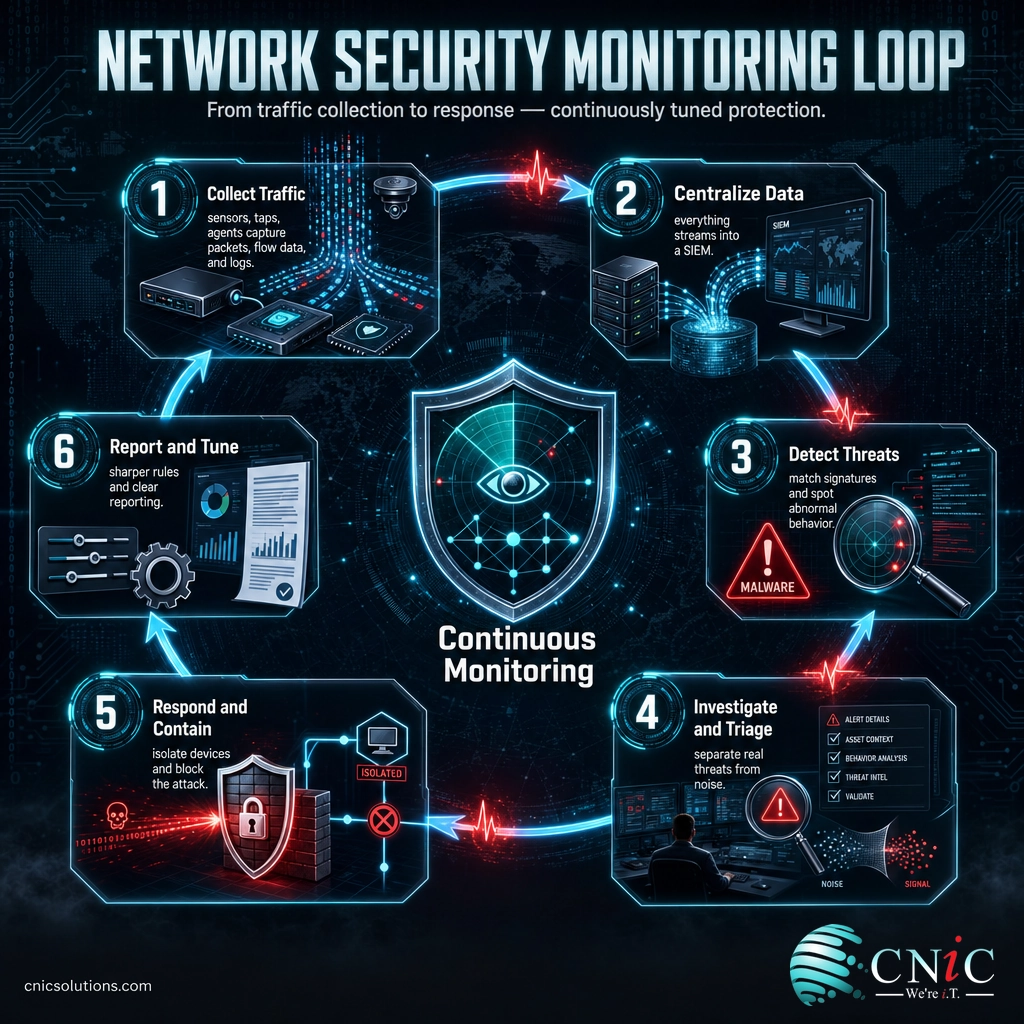
- Collect the traffic. Sensors, network taps, and agents capture data from across the network: raw packets, connection records (flow data), firewall and server logs, and alerts from security tools.
- Centralize and normalize. That data streams into a central platform, usually a security information and event management (SIEM) system, where it is organized so events from different sources can be compared.
- Detect the threats. Detection engines compare the traffic against known attack signatures and against a baseline of normal behavior, flagging anything unusual, such as a workstation suddenly scanning the whole network at 3 a.m.
- Investigate and triage. Analysts and automated tools separate real threats from the flood of harmless alerts, then dig into genuine incidents to understand what is happening and how far it has spread.
- Respond and contain. The team isolates affected devices, blocks the malicious traffic, and guides recovery before the intruder can reach critical data.
- Report and tune. Each incident feeds back into the system as sharper detection rules and a report on what was seen, so the monitoring gets better over time.
A useful way to picture it: a firewall is the locked front door, and network security monitoring is the alarm system and security cameras inside the building. The lock stops the casual intruder, but if someone slips in with a copied key, the cameras are what notice them wandering the hallways and get a guard moving. On a network, the “hallways” are your internal traffic, and monitoring is what watches them.
Source: NIST Computer Security Resource Center glossary
Network Security Monitoring vs Network Monitoring
The biggest source of confusion is the gap between network monitoring and network security monitoring. The names are nearly identical, and the tools sometimes sit side by side, but they answer two completely different questions. Network monitoring asks, “Is the network working?” Network security monitoring asks, “Is the network under attack?”
Ordinary network monitoring is a performance and reliability job. It tracks uptime, bandwidth, latency, and device health so the IT team knows when a switch fails or a link is congested. It is essential, but it is largely blind to a stealthy attacker who is not causing any outage. Network security monitoring is a threat-detection job. It inspects the content and patterns of traffic for signs of intrusion, data theft, or malware spreading, even when everything appears to be running smoothly.
| Attribute | Network Monitoring | Network Security Monitoring |
|---|---|---|
| Core question | Is the network working? | Is the network under attack? |
| Watches for | Outages, slowdowns, failed devices | Intrusions, malware, data theft, odd behavior |
| Main metrics | Uptime, bandwidth, latency, device health | Threat alerts, anomalies, attack signatures |
| Owned by | IT operations team | Security team or security operations center |
| Typical tools | SNMP monitors, uptime dashboards | NDR, IDS/IPS, SIEM, traffic analysis |
| Blind spot it removes | Performance problems | A quiet attacker already inside |
The two are complementary, not competing. Healthy businesses run both, often from the same partner, so the team that keeps the network fast is connected to the team that keeps it safe. If you already have solid network monitoring but no security layer, the practical gap is exactly the one an attacker relies on. Getting the underlying network right in the first place also helps, which is why it pays to start with a sound design when you are setting up a business network.

Why Network Security Monitoring Matters
The case for monitoring comes down to one uncomfortable fact: the time between an attacker getting in and anyone noticing is still measured in days and weeks, not minutes. That gap is where the damage happens, and it is exactly what monitoring is built to close.
Start with how long breaches go unresolved. IBM’s annual Cost of a Data Breach Report found that in 2024 it took an average of 258 days to identify and contain a breach. That is more than eight months for an intrusion to run its course, and every one of those days is time an attacker can use to steal data, spread deeper, or stage ransomware.
Even when defenders do well, attackers get a head start. Mandiant’s 2024 M-Trends report put the global median dwell time, the number of days an intruder operates in an environment before being detected, at 10 days. That is a major improvement over prior years, but it still means the typical attacker has more than a week inside a network before anyone reacts, and monitoring is the thing that turns those days into hours.
The cost of missing all of this keeps climbing. IBM put the global average cost of a data breach at $4.88 million in 2024, the highest on record and roughly a 10% jump in a single year. Smaller businesses see smaller absolute numbers, but the downtime, lost data, and recovery can be existential rather than merely expensive.
Global Average Cost of a Data Breach by Year (IBM)
The global average breach cost has risen every year and hit a record in 2024. Source: IBM Cost of a Data Breach Report.
Myth: my firewall already protects the network, so monitoring is redundant. A firewall filters traffic at the edge, but it cannot see an attacker who is already inside using valid credentials, and it does not watch what happens next. Verizon’s 2024 Data Breach Investigations Report found the human element, such as phishing, error, or stolen logins, was involved in 68% of breaches. Those attacks walk in through the front door the firewall is holding open. Monitoring is what notices them once they are in.
Source: IBM Cost of a Data Breach Report | Mandiant M-Trends 2024 | Verizon Data Breach Investigations Report
What Network Security Monitoring Includes
Network security monitoring is not one product. It is a set of data sources and detection tools that work together, and providers package them differently. These are the core building blocks you will hear about.
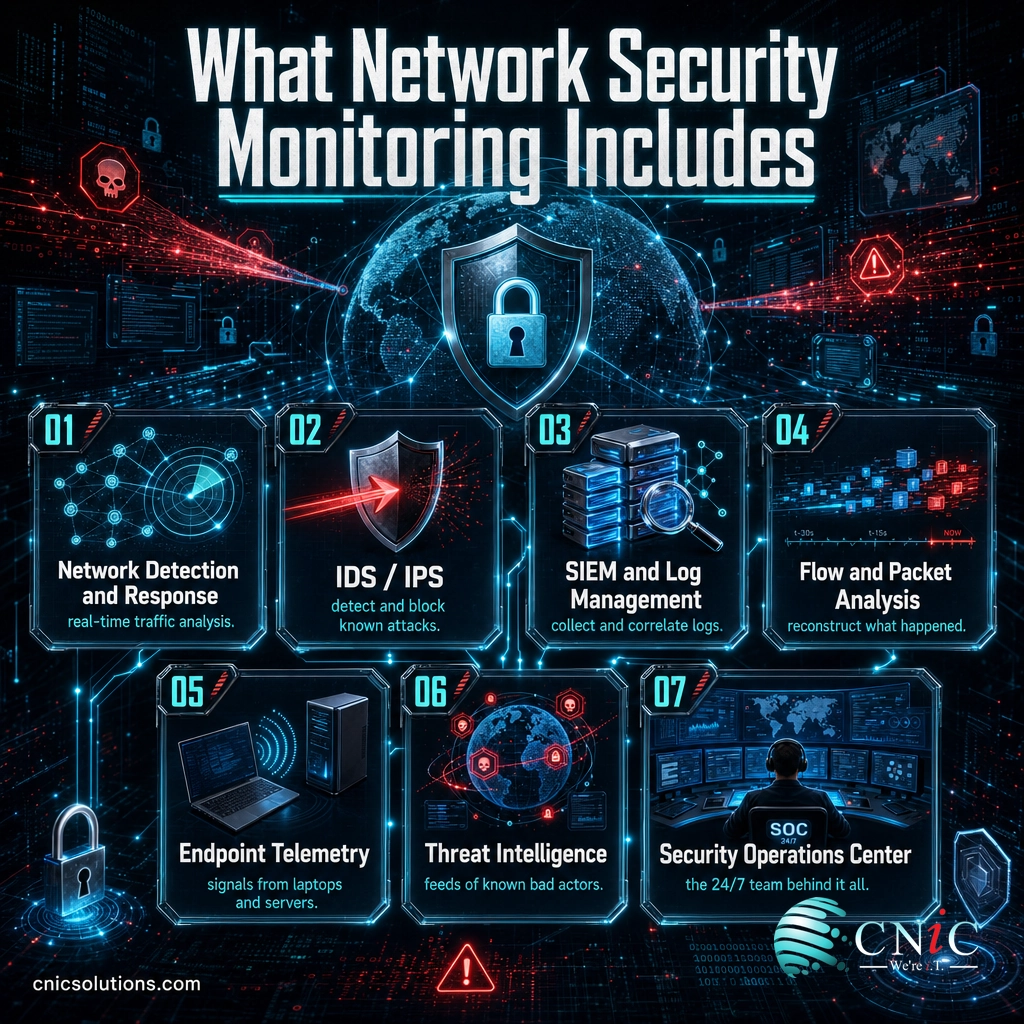
- Network detection and response (NDR): platforms that analyze network traffic in real time to detect and respond to threats, using behavior analysis to catch attacks that have no known signature.
- Intrusion detection and prevention (IDS/IPS): systems that match traffic against known attack patterns and either alert on or actively block malicious activity.
- SIEM and log management: the platform that collects and correlates logs and alerts from across your systems, connecting events that would look harmless in isolation.
- Flow and packet analysis: examining connection records (flow data) and, when needed, the full packet contents to reconstruct exactly what an attacker did.
- Endpoint telemetry: signals from the laptops and servers where attacks often land, frequently captured through endpoint detection and response tools built for smaller teams, which pair with network data for a fuller picture.
- Threat intelligence: up-to-date feeds of known malicious addresses, domains, and techniques that sharpen detection against the latest campaigns.
- The security operations center (SOC): the staffed, around-the-clock team that watches all of the above, investigates alerts, and drives the response.
Network monitoring is closely related to two neighboring practices. A managed firewall service controls what is allowed in and out at the perimeter, while monitoring watches what happens on the inside. And where NSM focuses on the network, endpoint protection focuses on individual devices. The strongest defenses feed both streams into one place so an attack is visible whether it shows up on the wire or on a laptop.
How to Get Started With Network Security Monitoring
You do not need to buy every tool on day one, and few businesses run monitoring entirely on their own. Building a 24/7 security operations center in-house means hiring scarce analysts, licensing expensive platforms, and keeping both staffed every night and weekend. For most small and midsize companies, the practical route is a managed provider that already runs monitoring at scale across many clients. A sensible path looks like this.
- Know what you are protecting. Start with a clear picture of your network, systems, and most sensitive data. A cybersecurity risk assessment tells you where the real risk sits and what to watch most closely.
- Get visibility first. Deploy monitoring across your network, key servers, and endpoints so there are no dark corners an attacker can hide in. You cannot detect what you cannot see.
- Add detection and response. Layer on 24/7 detection with a real team behind it, not just a dashboard of alerts you are expected to watch yourself.
- Connect it to your IT. Monitoring works best when the people running your systems and the people watching for threats are on the same team, which is one reason combined managed IT and security is cleaner than two disconnected vendors.
If you want a broader view of how outsourced security is delivered and priced, our explainer on managed security service providers covers the full model. Government resources help you set a baseline too: CISA’s cyber guidance for small and midsize businesses outlines the core protections every organization should have in place.
Explore Managed Networking and Security
Source: Cybersecurity and Infrastructure Security Agency, small and midsize business resources
Common Questions About Network Security Monitoring
What is network security monitoring in simple terms?
What is the difference between network monitoring and network security monitoring?
What tools are used for network security monitoring?
Is network security monitoring the same as a SIEM?
Does a small business need network security monitoring?
Related Terms
- NDR (network detection and response): a platform that analyzes network traffic to detect and respond to threats using behavior analysis, a core engine of network security monitoring.
- IDS/IPS (intrusion detection and prevention system): tools that match traffic against known attack patterns and alert on or block malicious activity.
- SIEM (security information and event management): the platform that collects and correlates security data from across your systems to surface real threats.
- SOC (security operations center): the staffed, always-on team and command center that watches for and responds to threats.
- Managed firewall: a firewall configured, monitored, and maintained by an outside security team, explained in our managed firewall guide.
- Attack surface management: the ongoing practice of finding and reducing every point an attacker could target, covered in our attack surface management explainer.
- Dwell time: the number of days an attacker operates inside a network before being detected, the figure monitoring is meant to reduce.
About This Guide
The definition of continuous monitoring follows the NIST Computer Security Resource Center glossary. The average time to identify and contain a breach, the year-over-year breach-cost trend, and the record 2024 figure are drawn from IBM’s Cost of a Data Breach Report. The global median attacker dwell time is from Mandiant’s M-Trends report, and the human-element breach figure is from the Verizon Data Breach Investigations Report. Figures are cited to their original sources and used to illustrate why monitoring matters, not as guaranteed outcomes for any specific business.
Sources: NIST CSRC glossary | IBM Cost of a Data Breach Report | Mandiant M-Trends | Verizon DBIR | CISA small and midsize business resources
Get a Free Security Audit From CNiC



related posts
What Is IT Monitoring? A Guide for Businesses
October 23, 2026IT monitoring is the continuous practice of collecting and analyzing data from a business's technology, its…
What Is Log Analysis? How It Works and Why It Matters
October 23, 2026Log analysis is the practice of reviewing and interpreting the log files that computers, applications, and…
What Is ISO 27001? A Guide to the Information Security Standard
October 22, 2026ISO 27001 is the world's best-known standard for managing information security, and increasingly the certification customers…
What Is IT Asset Management (ITAM)? A Guide for Businesses
October 22, 2026IT asset management (ITAM) is the practice of tracking and managing an organization's hardware, software, and…