
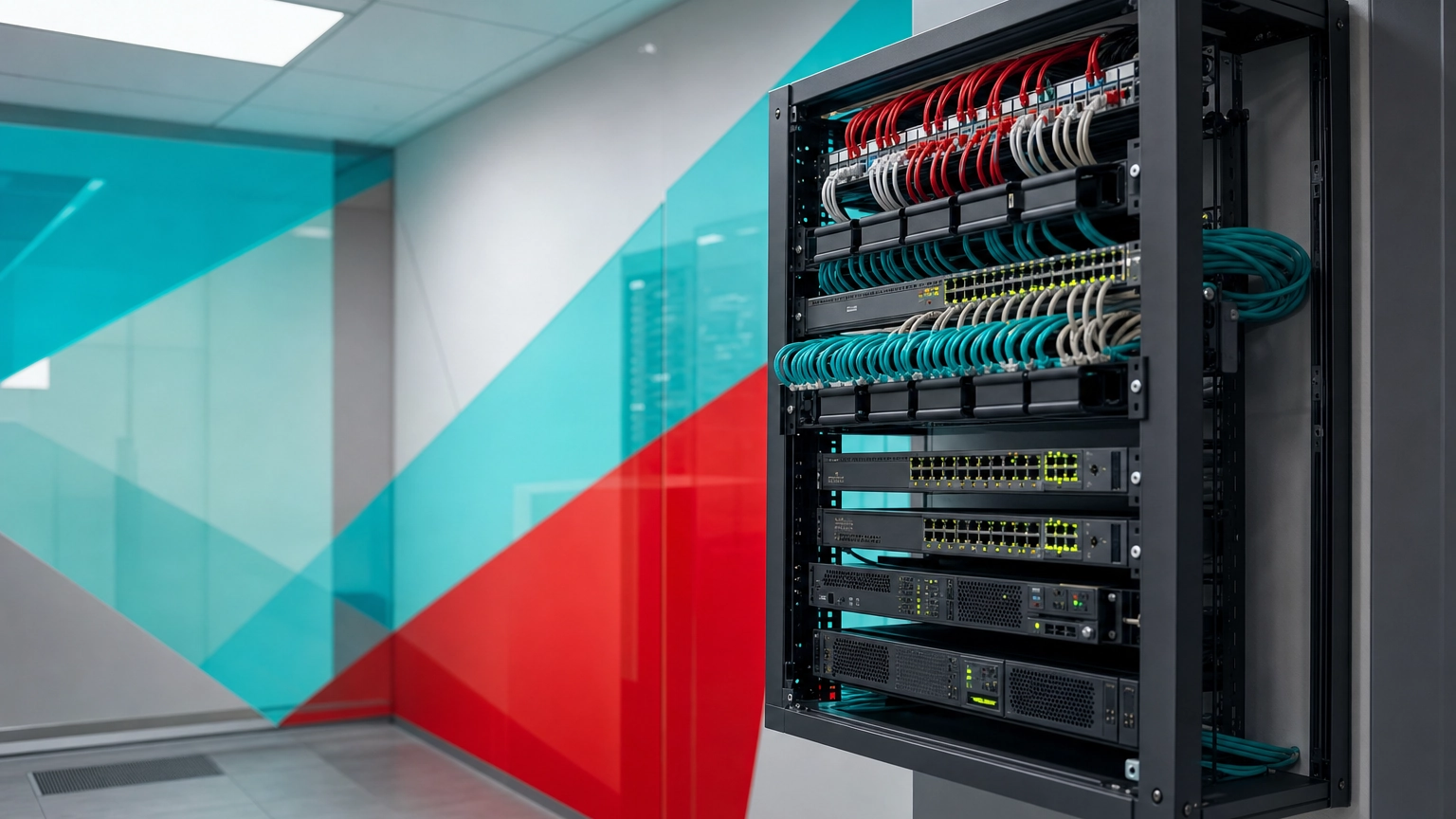
Network infrastructure is the complete set of hardware and software that connects the devices, users, and applications in an organization. It includes physical equipment such as routers, switches, cabling, and firewalls, plus the software, protocols, and services that move and secure data across the network.
Every email, video call, cloud login, and card payment your business handles rides on the same foundation: your network infrastructure. When it is planned well, nobody notices it. When it is not, you get dropped connections, slow software, and security gaps that are expensive to fix after the fact. This guide explains what network infrastructure actually is, the parts it is built from, the types businesses use, and why it directly shapes your uptime and your risk.
- Network infrastructure is the hardware, software, and connections that let people, devices, and applications communicate and share data securely.
- It has two layers: physical components (routers, switches, cabling, firewalls, servers) and logical components (addressing, protocols, and security).
- Architecture is the blueprint; infrastructure is the equipment and software that make the blueprint real.
- Poor infrastructure is a leading driver of outages, and a single hour of downtime now costs most mid-size and large enterprises more than $300,000.
- Most businesses run hybrid infrastructure, mixing on-premises hardware with cloud and software-defined resources.
What’s in This Guide
- How Network Infrastructure Works
- Core Components of Network Infrastructure
- Network Infrastructure vs. Network Architecture
- Why Network Infrastructure Matters for Your Business
- Types of Network Infrastructure
- How to Build and Maintain Network Infrastructure
- Common Questions About Network Infrastructure
- Related Networking Terms
How Network Infrastructure Works
Think of network infrastructure the way you would think of a building’s plumbing and wiring. You do not see most of it, but every tap and light switch depends on it. In a business network, data is the water, and the infrastructure is the system of pipes, valves, and pumps that gets it where it needs to go, cleanly and on time.
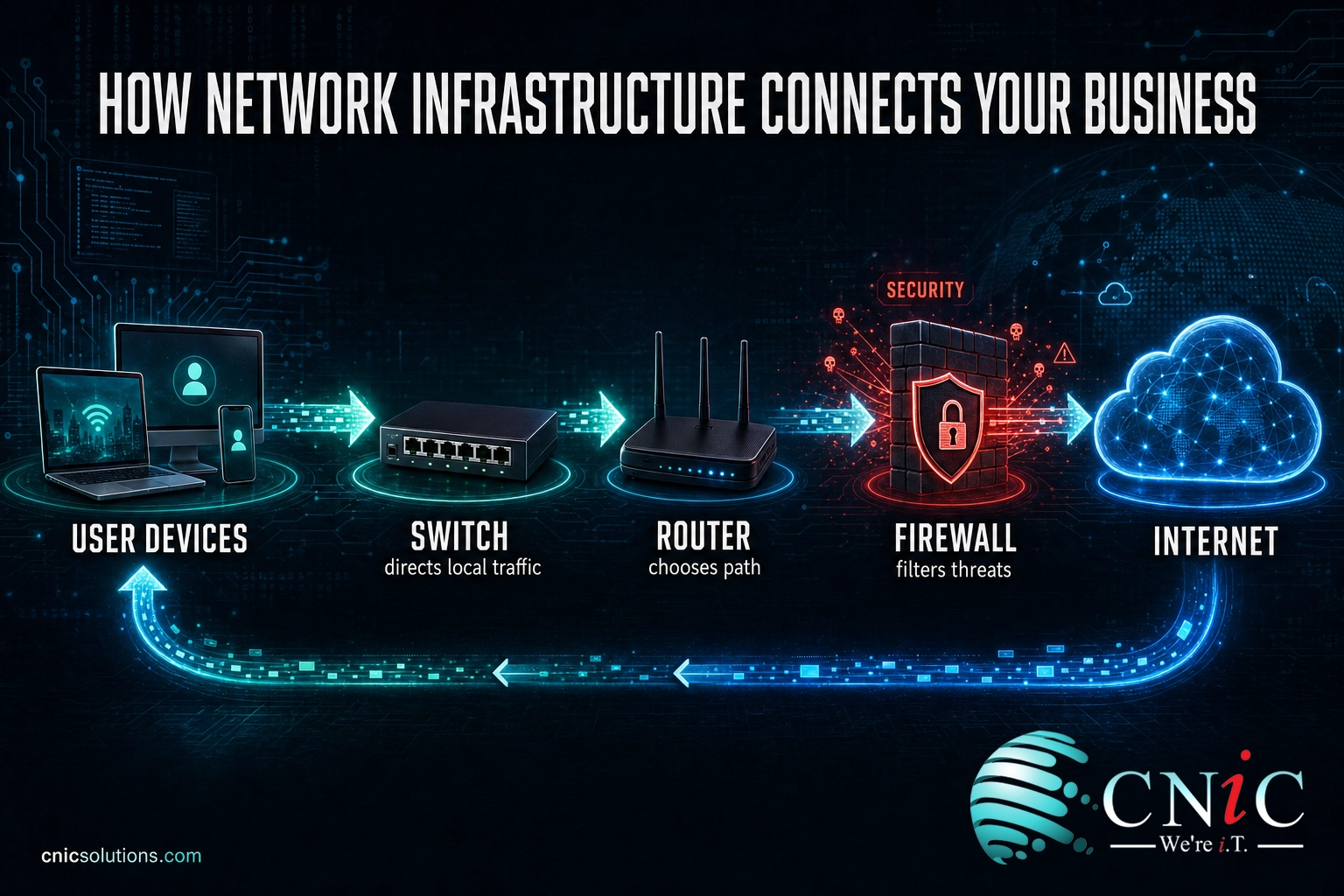
At a basic level, the flow works like this:
- A device makes a request. A laptop, phone, or server asks for something, such as a file, a website, or a video call.
- The request reaches a switch. Inside your building, a switch connects wired devices and directs traffic to the right destination on the local network.
- A router decides the path. If the request needs to leave your local network, a router forwards it toward the internet or another site and chooses the best route.
- Security checks the traffic. A firewall and related security tools inspect what is coming in and going out, blocking anything that looks unsafe.
- The response returns. The requested data travels back along the same infrastructure to the device that asked for it.
All of this happens in a fraction of a second, thousands of times per minute in a busy office. The quality of the hardware, the cabling, and the configuration decides whether that experience feels instant or sluggish.
Core Components of Network Infrastructure
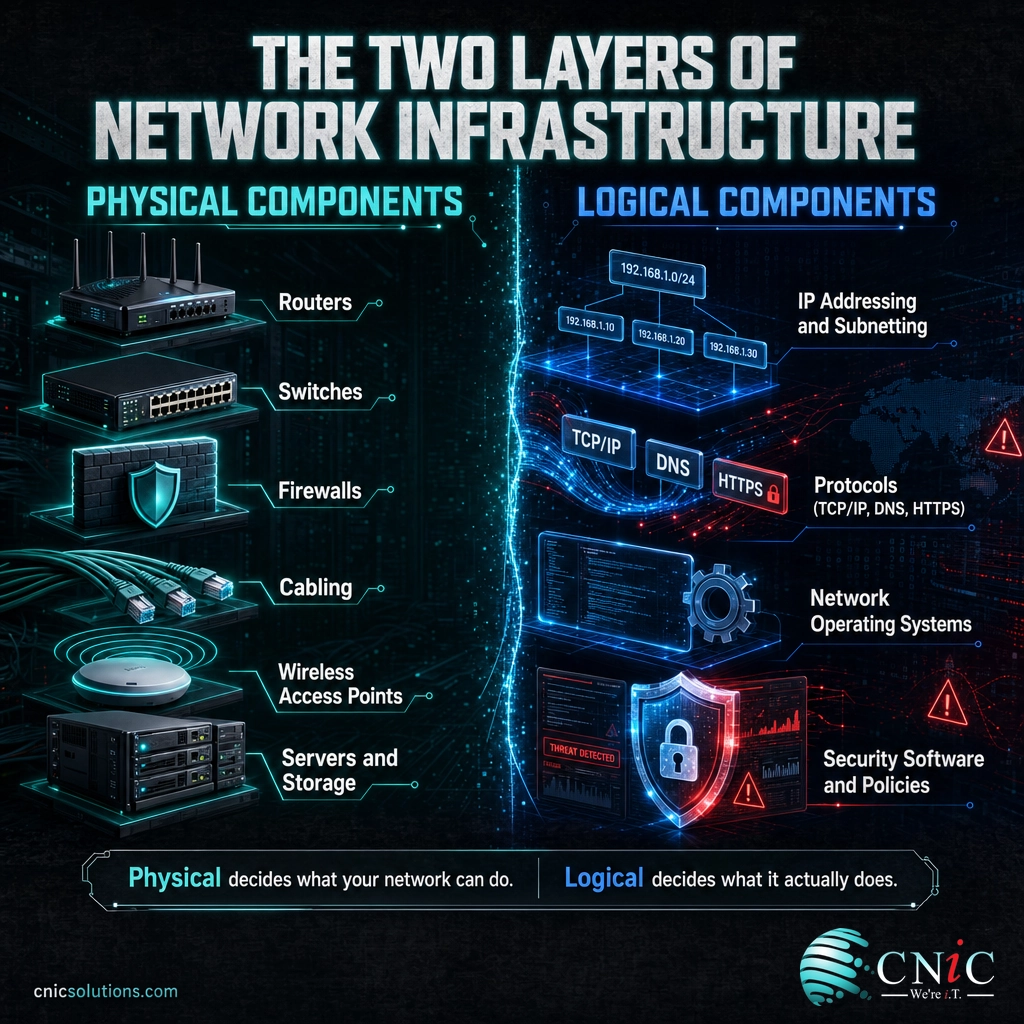
Network infrastructure is usually split into two groups: the physical components you can touch, and the logical components that control how everything behaves. Both matter, and a weakness in either one shows up as a problem for users.
Physical components
- Routers connect your network to other networks and to the internet, directing traffic between them.
- Switches connect devices inside your building and move traffic efficiently across the local network.
- Firewalls sit at the network edge and filter traffic to keep threats out and sensitive data in.
- Cabling is the physical backbone. The grade of cable you install sets a ceiling on speed and reliability for years, which is why the choice between options like Cat6 and Cat6a cabling for your office is worth getting right the first time.
- Wireless access points extend the network to laptops, phones, and other mobile devices over Wi-Fi.
- Servers and storage host the applications, files, and services that people connect to.
Logical components
- IP addressing and subnetting organize devices into groups so traffic reaches the right place. If that is new to you, our guide on what a subnet is and how subnetting works breaks it down.
- Protocols are the shared rules (such as TCP/IP, DNS, and HTTPS) that let different devices understand each other.
- Network operating systems and management software configure, monitor, and control the hardware.
- Security software and policies handle access control, encryption, and threat detection across the network.
A useful way to picture it: the physical layer decides what your network can do, and the logical layer decides what it actually does day to day. Structured, professionally installed cabling and hardware give you the headroom, and good configuration turns that headroom into performance.
Network Infrastructure vs. Network Architecture
These two terms get used as if they mean the same thing, but they describe different stages of the same project. Network architecture is the plan. Network infrastructure is the result.
| Network Architecture | Network Infrastructure | |
|---|---|---|
| What it is | The design and blueprint for how the network should be built | The actual hardware, software, and connections in operation |
| Form | Diagrams, standards, and specifications | Physical equipment plus configured software |
| Question it answers | How should traffic, security, and growth be handled? | What is installed, and how is it running right now? |
| When it changes | During planning and major redesigns | Continuously, as equipment is added, replaced, or updated |
In practice, good architecture comes first, because it prevents expensive mistakes in the infrastructure that follows. A network designed for 20 people and then stretched to 120 without a redesign is the most common cause of the slowdowns and outages growing businesses run into.

Why Network Infrastructure Matters for Your Business
Network infrastructure rarely appears on a budget line until something breaks, yet it quietly decides three things every business cares about: whether people can work, how fast they can work, and how safe your data is while they do. The cost of getting it wrong is measurable.
Downtime does not cost every business the same amount, but it is never cheap. Smaller firms feel it too, and the gap between a small office outage and an enterprise outage is one of scale, not of pain.
Estimated Cost of One Hour of Downtime, by Company Size
Source: ITIC 2024 Hourly Cost of Downtime Survey. Enterprise figure is a reported floor; 41% of enterprises put the cost at $1M to over $5M.
Beyond dollars, weak infrastructure shows up as security risk. Flat networks with no segmentation let a single compromised laptop reach everything, and outdated firewalls or unmanaged switches create blind spots attackers look for. Strong infrastructure is the foundation that every other layer of protection sits on.
Myth: “Network infrastructure is just the cables and the router.” The physical gear is only half of it. Addressing, segmentation, protocols, and security policy are just as much a part of your infrastructure, and they are where most performance and safety problems actually live. Buying faster hardware will not fix a poorly configured network.
Source: ITIC 2024 Hourly Cost of Downtime Report | Uptime Institute Annual Outage Analysis
Types of Network Infrastructure
There is no single kind of network infrastructure. Businesses combine a few types depending on their size, their locations, and how much they rely on cloud services.
By form: physical and virtual
Physical infrastructure is the on-premises equipment you own and maintain, such as switches, routers, and cabling in your building. Virtual, or software-defined, infrastructure uses software to create and manage network resources that are not tied to a single piece of hardware, which makes them faster to change and scale.
By deployment: on-premises, cloud, and hybrid
- On-premises keeps the network inside your own walls, giving you the most direct control.
- Cloud-based shifts parts of the network to a provider, trading some control for flexibility and lower up-front cost.
- Hybrid blends both, which is where most businesses land today.
By reach: local and wide area
Infrastructure is also described by how far it spans. A network inside one building is a local area network, while a network that links multiple sites or cities is a wide area network. The distinction changes the equipment and services you need, and our explainer on the difference between a LAN and a WAN covers when each applies. Larger networks are often divided further using tools like VLANs to separate business traffic for performance and security.
How to Build and Maintain Network Infrastructure
Whether you are outfitting a new office or fixing a network that has outgrown its original design, the path is the same: plan for where the business is going, install for reliability, and manage it continuously rather than only when it fails.
- Design before you buy. Map how many users, sites, and devices you expect over the next few years, then let that plan drive the equipment list.
- Install a solid physical layer. Quality switches, properly rated cabling, and well-placed access points are the foundation. Cutting corners here limits everything above it.
- Segment and secure. Separate traffic, apply firewall rules, and control access so a single problem cannot spread across the whole network.
- Monitor and maintain. Networks drift over time. Ongoing monitoring catches failing hardware and misconfigurations before they turn into outages.
This is where many businesses bring in a partner, because designing, cabling, securing, and monitoring a network is a full-time discipline. CNiC Solutions handles it end to end, from the physical layer to day-to-day management.
Explore Managed Networking Services
The physical foundation matters as much as the design. Professionally installed, structured cabling gives your network the speed and reliability to grow into.
See Structured Cabling Installation
Once the network is live, keeping it healthy is an ongoing job. Proactive infrastructure management keeps performance high and downtime rare.
Learn About Infrastructure Management
Common Questions About Network Infrastructure
What is network infrastructure in simple terms?
What are the main components of network infrastructure?
What is the difference between network infrastructure and network architecture?
Why is network infrastructure important for small businesses?
What are the types of network infrastructure?
Related Networking Terms
- LAN vs. WAN: the difference between a network inside one building and one that spans multiple sites.
- Subnet: a smaller, logical division of a network that keeps traffic organized and efficient.
- VLAN: a virtual LAN that separates traffic on the same physical hardware for security and performance.
- Cat6 vs. Cat6a: two common Ethernet cable grades that set the speed ceiling for your wired network.
- Power over Ethernet (PoE): a way to deliver both data and electrical power over a single network cable.
Sources



related posts
What Is NIST Compliance? Frameworks, Requirements, and Who Needs It
October 25, 2026NIST compliance means aligning your organization's security program with the cybersecurity standards published by the National…
What Is Network Penetration Testing? Types and Process
October 25, 2026Network penetration testing is a controlled, authorized simulation of a real cyberattack on your network, run…
What Is Mobile Device Management (MDM)? A Guide for Businesses
October 24, 2026Mobile Device Management (MDM) is software that lets an organization remotely enroll, configure, secure, and monitor…
What Is MFA? How Multi-Factor Authentication Protects Your Accounts
October 24, 2026Multi-factor authentication (MFA) is a security method that requires two or more separate proofs of identity…