

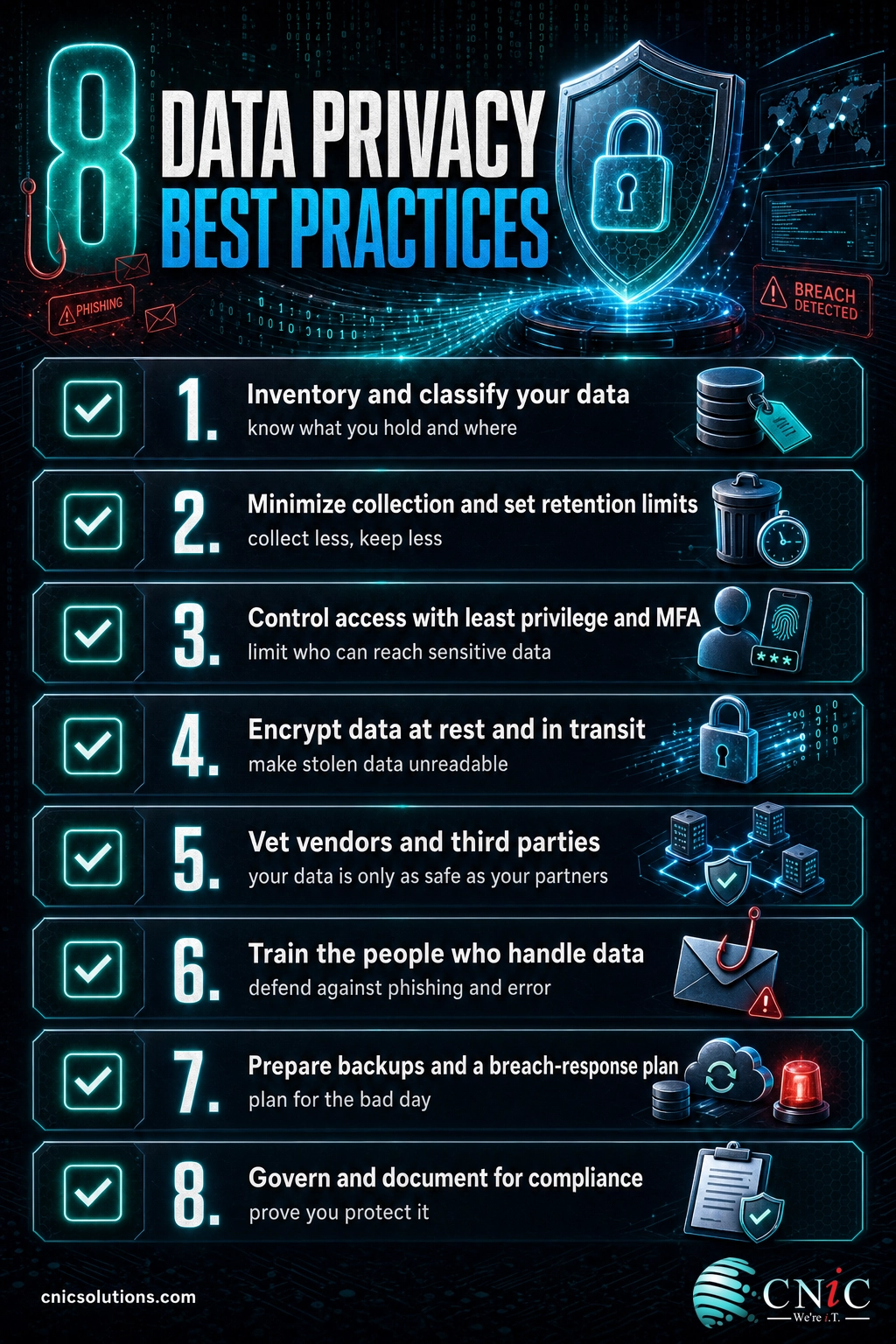
Data privacy best practices come down to a simple idea: know what personal data you hold, collect less of it, protect what remains, and be able to prove you did all three. The businesses that get breached or fined are rarely the ones that lacked expensive tools. They are the ones that did not know where their sensitive data lived or who could touch it. This checklist turns that principle into a set of specific, assignable actions your team can start this week.
Key Takeaways
- You cannot protect data you cannot see. A current data inventory and classification scheme is the foundation every other practice builds on.
- Collect less, keep less. Data minimization and clear retention limits shrink both your breach exposure and your compliance burden at the same time.
- Most incidents trace back to people, not exotic exploits. Least-privilege access, multi-factor authentication, and real training defend the paths attackers actually use.
- Privacy is provable. Written policies, vendor agreements, and access logs are what turn good intentions into defensible compliance under GDPR, CCPA, and HIPAA.
- Plan for the bad day. Tested backups and a written breach-response plan decide whether an incident is a disruption or a disaster.
How to Use This Checklist
This is a working document, not a reading exercise. Get value from it in three steps:
- Assign an owner to each of the eight sections below. Privacy fails when it belongs to everyone and therefore no one.
- Set a deadline for each item and a review date for the whole program. Use the Priority Matrix near the end to sequence the work.
- Document the result. For every item, record what you did, when, and where the evidence lives. That record is your proof of compliance if a regulator, auditor, or customer ever asks.
Work through the Quick Wins first for fast risk reduction, then tackle the Critical items in the matrix.
What’s in This Checklist
- 1. Know Your Data: Inventory, Mapping, and Classification
- 2. Collect Less and Keep Less: Minimization and Retention
- 3. Control Who Can Reach Sensitive Data
- 4. Encrypt Data at Rest and in Transit
- 5. Vet Your Vendors and Third Parties
- 6. Train the People Who Handle Data
- 7. Prepare for Incidents: Backup and Breach Response
- 8. Govern and Document for Compliance
- Priority Matrix
- Quick Wins You Can Finish Today
- Frequently Asked Questions
1. Know Your Data: Inventory, Mapping, and Classification
Every serious data privacy program starts with a question most businesses cannot answer on demand: what personal data do we hold, where does it live, and who can reach it? Until you can answer that, every downstream control is a guess. Build the map first.
- Build a data inventory. List every system, application, spreadsheet, and cloud service that stores personal data, including shadow tools your team adopted without IT.
- Map the data flow. Trace where personal data enters, where it moves, and where it comes to rest, so you know every point that needs protection.
- Classify by sensitivity. Tag data as public, internal, confidential, or regulated (health, financial, government ID), and let that tag drive how strictly you protect it.
- Flag regulated data explicitly. Mark anything covered by HIPAA, PCI, or a state privacy law so it never gets treated like ordinary internal data.
- Assign a data owner. Give each major data set a named owner accountable for its accuracy, access, and retention.
Myth: “We are too small to be a target, so a full inventory is overkill.” The opposite is true. Attackers automate their scanning and go after weak configurations, not big names, and regulators apply most privacy rules based on the data you hold, not your headcount. A small business that cannot say where its customer records live is exactly the profile that turns a minor intrusion into a reportable breach.
Grounding your classification in an established standard keeps it defensible. The NIST Privacy Framework and its identify-govern-control model are a practical starting point.
Source: NIST Privacy Framework
2. Collect Less and Keep Less: Minimization and Retention
The safest data is the data you never collected. Data minimization and disciplined retention are the two practices that reduce risk and compliance work at the same time, because everything you do not hold is something you never have to secure, govern, or explain.
- Justify every field you collect. If a form or system captures a piece of personal data with no clear business purpose, stop collecting it.
- Set retention limits by data type. Define how long each category is kept and delete it on schedule rather than by default forever.
- Automate deletion where you can. Manual cleanup never happens, so build retention rules into the systems that store the data.
- Purge stale copies. Old backups, exports, and test databases full of real customer data are a common and forgotten breach source.
- Document your retention schedule. A written schedule is both an operational tool and evidence of good-faith compliance.
A retention schedule is where minimization becomes real. If you do not have one yet, our guide on how to create a data retention policy walks through it step by step.
3. Control Who Can Reach Sensitive Data
Most breaches are not a failure of technology so much as a failure of access. When too many accounts can reach sensitive data, a single stolen password becomes a company-wide problem. Verizon’s analysis of real-world breaches has repeatedly found that the majority involve a human element such as stolen credentials, misuse, or error, which makes tight access control one of the highest-return practices on this list.
- Enforce least privilege. Give each person access only to the data their role requires, and nothing more.
- Require multi-factor authentication. Turn on MFA everywhere it is available, especially email, remote access, and administrative accounts.
- Review access quarterly. Remove permissions people no longer need and close accounts the day someone leaves.
- Separate admin from everyday accounts. Administrators should use privileged accounts only for privileged work.
- Log access to regulated data. Keep a record of who viewed or changed sensitive records so misuse can be detected and investigated.
Tie access to a real risk picture. A short cybersecurity risk assessment tells you which systems hold your most sensitive data, so you can concentrate the strictest controls where a breach would hurt most.
Source: Verizon Data Breach Investigations Report
The most relevant money-page CTA for this article:
Protect your business data with managed cybersecurity
4. Encrypt Data at Rest and in Transit
Encryption is the practice that limits the damage when other controls fail. If a laptop is stolen or a database is copied, encrypted data is unreadable without the key, which is why so many privacy laws treat properly encrypted data differently from exposed plaintext. It is one of the highest-value, lowest-friction controls a business can adopt.
- Encrypt data at rest. Turn on full-disk encryption for laptops and servers, and enable database and storage encryption in your cloud platforms.
- Encrypt data in transit. Require HTTPS/TLS for your website and applications and for any transfer of personal data between systems.
- Protect email and file sharing. Use encrypted channels when sending sensitive documents rather than plain attachments.
- Manage your keys. Store encryption keys separately from the data they protect and control who can access them.
- Cover mobile and removable media. Extend encryption to phones, tablets, and USB drives that may hold or sync personal data.
If encryption is new territory for your team, our explainer on how data encryption works covers the concepts in plain language.
Source: NIST guidance on cryptographic standards

5. Vet Your Vendors and Third Parties
Your data privacy is only as strong as the weakest partner you share data with. Payroll providers, marketing platforms, cloud apps, and contractors all handle personal data on your behalf, and a breach at any of them can become your breach and your notification obligation. Third-party risk is one of the fastest-growing sources of exposure for small and midsize businesses.
- Keep a vendor inventory. List every third party that stores or processes personal data for you, and what data each one touches.
- Put agreements in writing. Use data processing agreements, and business associate agreements where HIPAA applies, to bind vendors to protect the data.
- Check their security posture. Ask for evidence such as a SOC 2 report before handing over sensitive data.
- Limit what you share. Give each vendor only the data it needs to do its job, not a full export by default.
- Reassess annually. Vendors change, get acquired, and get breached, so review the list and their protections at least once a year.
Know which agreement you need. When a vendor handles protected health information, a business associate agreement under HIPAA is not optional, and understanding the difference between a SOC 1 and SOC 2 report helps you ask vendors for the right proof.
6. Train the People Who Handle Data
Technology sets the guardrails, but people make the day-to-day decisions that keep data private or expose it. Verizon’s breach research consistently attributes most incidents to a human element, and a phishing email or a misdirected attachment can undo strong technical controls in seconds. Training is where privacy culture is built.
- Train on hire and annually. Cover data handling, phishing, password hygiene, and how to report a suspected incident.
- Run phishing simulations. Practice against realistic lures so staff learn to spot them before a real one lands.
- Write a clear data handling policy. Tell people in plain terms what they may collect, store, share, and delete.
- Make reporting easy and blameless. People report mistakes quickly only when doing so is safe and simple.
- Brief high-risk roles more deeply. Finance, HR, and IT handle the most sensitive data and deserve extra attention.
For a foundation your whole team can share, point staff to our primer on the cybersecurity basics every employee should know.
Source: Verizon Data Breach Investigations Report
7. Prepare for Incidents: Backup and Breach Response
Good privacy practice assumes something will eventually go wrong and plans for it. The cost of a breach is driven up sharply by slow detection and disorganized response, and IBM’s annual research has put the global average cost of a data breach at $4.88 million, with organizations taking an average of well over 200 days to identify and contain one. A tested plan is what shortens that timeline and shrinks that cost.
- Back up on the 3-2-1 rule. Keep three copies of important data, on two types of media, with one copy off-site or in the cloud.
- Test your restores. A backup you have never restored is a hope, not a safeguard, so verify recovery on a schedule.
- Write a breach-response plan. Define who does what, in what order, when personal data is exposed.
- Know your notification deadlines. Most privacy laws require notifying affected people and regulators within set timeframes, so map those obligations in advance.
- Rehearse the plan. Walk through a realistic scenario at least once a year so the first real test is not the live one.
Myth: “Our backups mean we are covered.” Backups protect availability, not privacy. If an attacker copies your data, a clean backup does nothing to stop the exposure or your notification duty. You still need access controls, encryption, and a response plan. Backups are one layer, not the whole answer.
Turn this into an operational plan with our step-by-step guide on building a disaster recovery plan and our overview of data backup solutions for small business.
Source: IBM Cost of a Data Breach Report
The backup and recovery side of this belongs to a dedicated service:
Explore managed data backup and recovery
8. Govern and Document for Compliance
Privacy law does not just ask you to protect data, it asks you to prove you protect it and to honor the rights of the people whose data you hold. Governance is the layer that turns your controls into something defensible in front of a regulator, an auditor, or a customer’s legal team.
- Publish an honest privacy notice. Tell people what you collect, why, and how they can exercise their rights.
- Handle data-subject requests. Build a simple process to respond to access, correction, and deletion requests within legal deadlines.
- Map your legal obligations. Identify which laws apply to you, such as HIPAA, the FTC Safeguards Rule, CCPA/CPRA, or GDPR, based on your data and customers.
- Keep policies current. Review privacy and security policies annually and after any major change.
- Audit against a framework. Measure yourself against a recognized standard so gaps surface before an incident does.
Do not start from a blank page. Our IT compliance checklist for small business and the complete guide to IT compliance for SMBs translate these obligations into concrete steps, and our overview of navigating IT compliance and regulations maps the landscape.
Many businesses get here and realize they need a steady hand on strategy rather than another tool. A Virtual CIO can own your privacy and compliance roadmap.
Source: FTC privacy and security guidance | HHS HIPAA for professionals
Priority Matrix
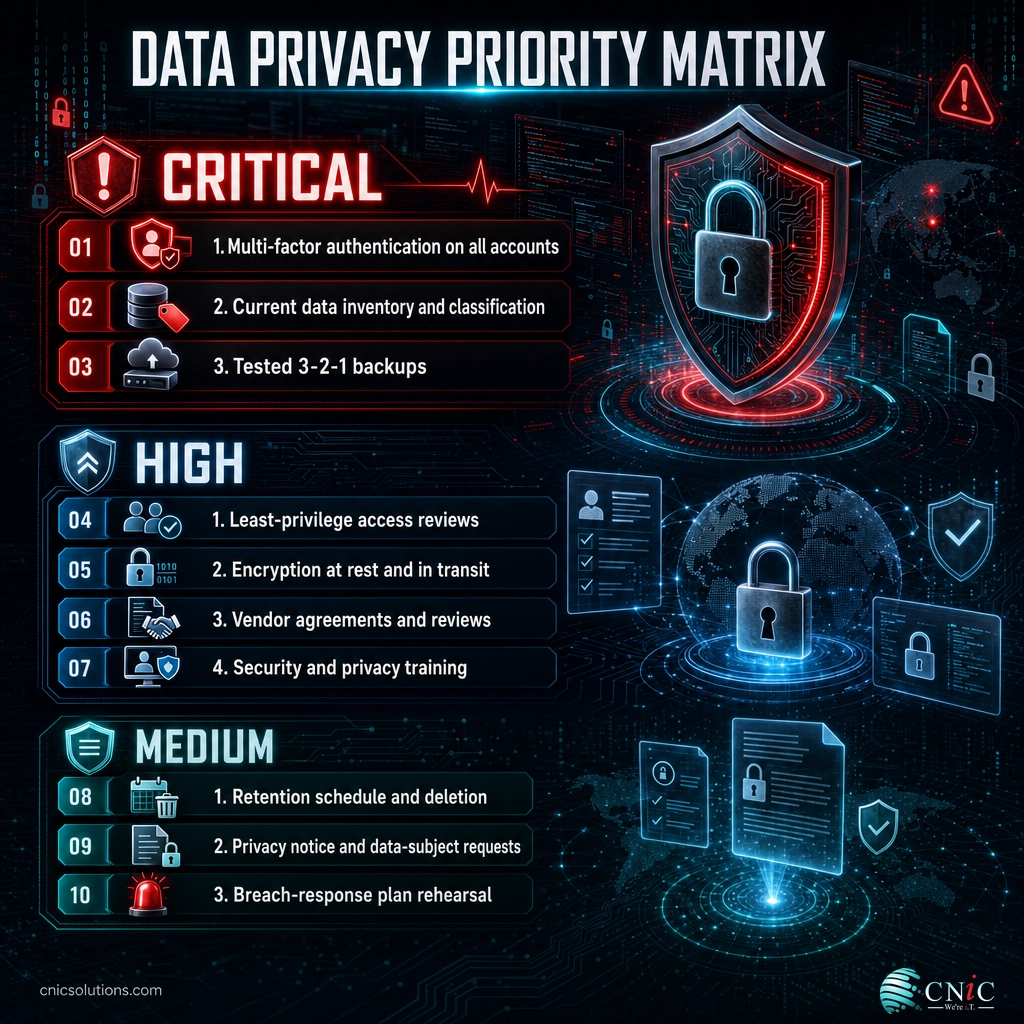
Not every item carries the same weight. Use this matrix to sequence the work, starting with Critical items that stop the most likely and most damaging failures.
| Practice | Priority | Owner | Frequency |
|---|---|---|---|
| Multi-factor authentication on all accounts | Critical | IT / Security | Verify quarterly |
| Current data inventory and classification | Critical | Data owners | Review annually |
| Tested backups (3-2-1) | Critical | IT / Security | Test monthly |
| Least-privilege access reviews | High | IT / Managers | Quarterly |
| Encryption at rest and in transit | High | IT / Security | Verify annually |
| Vendor agreements and reviews | High | Operations / Legal | Annually |
| Security and privacy training | High | HR / Security | Annually + simulations |
| Retention schedule and deletion | Medium | Data owners | Review annually |
| Privacy notice and data-subject requests | Medium | Legal / Operations | Review annually |
| Breach-response plan rehearsal | Medium | Leadership / IT | Annually |
Quick Wins You Can Finish Today
Five actions that meaningfully cut risk in a single afternoon:
- Turn on MFA for email and remote access across your team.
- List your top five data stores and note who can access each one.
- Enable full-disk encryption on every company laptop.
- Delete one stale data set, such as an old export or an inactive test database full of real records.
- Name an owner for each of the eight sections in this checklist.
Frequently Asked Questions
What is the difference between data privacy and data security?
What laws require data privacy compliance for US businesses?
What is data minimization?
How often should a business review its data privacy practices?
Do small businesses really need a data privacy program?
Sources
This checklist draws on primary guidance and research from:
- NIST Privacy Framework
- Verizon Data Breach Investigations Report
- IBM Cost of a Data Breach Report
- FTC Privacy and Security Guidance
- HHS HIPAA for Professionals
Statistics are cited directionally as published by their primary sources. Figures such as breach cost and detection time are drawn from the most recent editions of the reports above and should be confirmed against the current-year edition at publication.



related posts
What Is ZTNA (Zero Trust Network Access)?
November 3, 2026Zero Trust Network Access (ZTNA) is a security service that grants a verified user access to…
Zero Trust Statistics for 2026: Adoption, Maturity, and Breach Impact
November 3, 2026Zero trust has become the default security strategy on paper, but not yet in practice. Okta's…
What Is Zero Trust Security? A Guide for Small Businesses
November 2, 2026Zero Trust security is a cybersecurity model built on one rule: never trust, always verify. Instead…
What Is XDR (Extended Detection and Response) and How Does It Protect…
November 2, 2026Extended detection and response (XDR) is a security platform that collects and correlates threat data from…